EasyManua.ls Logo

King Industrial KC-10CCX - User Manual

King Industrial KC-10CCX
11 pages
Print Icon
To Next Page IconTo Next Page
Loading...
INSTRUCTION MANUAL
MODEL: KC-10CCX
COPYRIGHT © 2009 ALL RIGHTS RESERVED BY KING CANADA TOOLS INC.
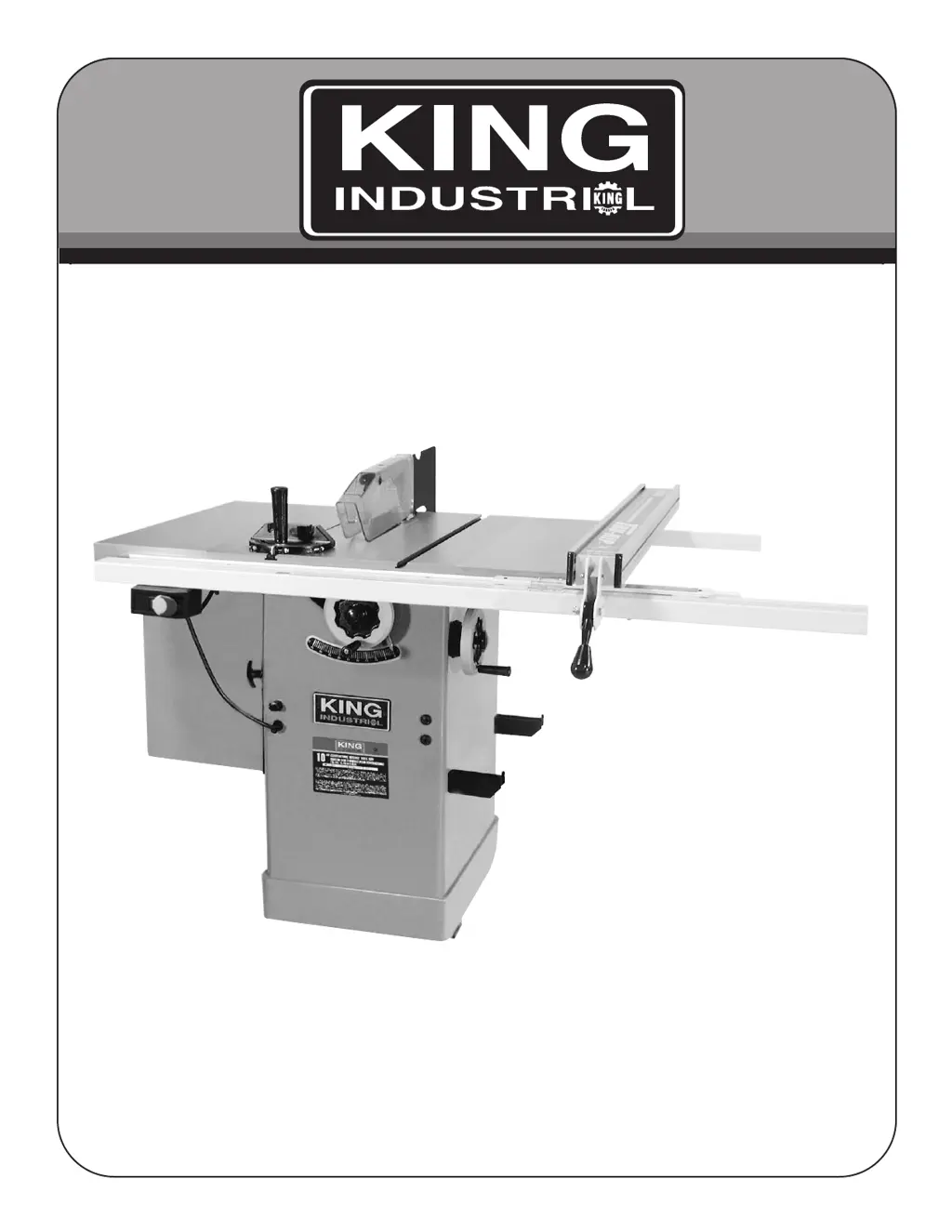
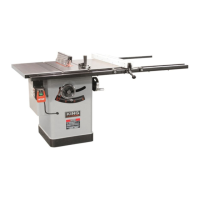
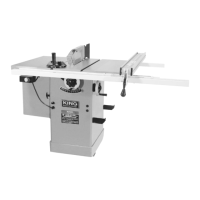
10” CONTRACTORS
CABINET TABLE SAW
*KC-10CCX illustrated above with optional 30” Rip Industrial Rip Fence System model: KRF-10/30L12.
52” Rip Industrial Rip Fence System model: KRF-10/52L12 also available.

Other manuals for King Industrial KC-10CCX

Questions and Answers

  • J
    Jennifer SolisAug 15, 2025
    Why does my King Industrial Saw overload kick out frequently?
    • K
      Kelly WattsAug 15, 2025
      The overload on your King Industrial Saw might be kicking out frequently due to several reasons: 1. The extension cord may be too light or too long; replace it with an adequate size cord. 2. You might be feeding stock too fast; try feeding it more slowly. 3. The blade could be in poor condition (dull, warped, or gummed); clean or replace the blade. 4. The blade might be binding because of a misaligned rip fence; check and adjust the rip fence. 5. Warped wood can cause the blade to bind; select another piece of wood. 6. There could be low house current; contact your electrical company.
  • M
    matthewlucasAug 18, 2025
    What to do if my King Industrial KC-10CCX makes unsatisfactory cuts?
    • J
      John CordovaAug 18, 2025
      If your King Industrial Saw is making unsatisfactory cuts, here's what you can do: * Replace the blade if it's dull. * Ensure the blade is mounted correctly; turn it around if it's backwards. * Clean the blade with turpentine and steel wool to remove gum or pitch. * Change the blade if it's not the correct one for the job. * Clean the table with turpentine and steel wool if there's gum or pitch causing erratic feed.
  • J
    josethomasAug 21, 2025
    What to do if my King Industrial KC-10CCX Saw will not start?
    • J
      John LeblancAug 22, 2025
      If your King Industrial Saw won't start, consider these possible causes: * The saw may not be plugged in; plug it in. * A fuse may be blown, or a circuit breaker tripped; replace the fuse or reset the circuit breaker. * The cord may be damaged; have it replaced by a certified electrician.
  • L
    lisameyerAug 25, 2025
    Why does my King Industrial KC-10CCX Saw machine vibrates excessively?
    • S
      Stephanie JordanAug 26, 2025
      Excessive vibration in your King Industrial Saw can stem from various factors: 1. The saw might not be securely mounted to the cabinet stand; tighten all mounting hardware. 2. The stand could be on an uneven floor; reposition it on a flat, level surface. 3. The saw blade may be damaged; replace the blade. 4. The V-belt(s) might be bad; replace the belt(s). 5. The V-belt may not be tensioned properly; adjust belt tension by moving the motor and/or motor bracket. 6. The pulley could be bent; replace the pulley. 7. The motor might be improperly mounted; check and adjust the motor mounting. 8. There may be loose hardware; tighten all nuts, bolts, and set screws.
  • B
    Bruce HendersonAug 28, 2025
    Why does material pinch blade when ripping on King Industrial KC-10CCX Saw?
    • A
      alyssaharrisAug 28, 2025
      Material may pinch the blade when ripping on your King Industrial Saw if: * The rip fence is not aligned with the blade; check and adjust the rip fence. * The wood is warped; select another piece of wood.
  • R
    rachael67Aug 31, 2025
    Why King Industrial Saw blade does not come up to speed?
    • M
      Melinda RogersSep 1, 2025
      If the blade on your King Industrial Saw doesn't reach full speed, it could be due to: * An extension cord that is too light or too long; replace it with an adequate size cord. * Low house current; contact your electric company. * The motor not being wired for the correct voltage; refer to the motor and/or nameplate.
  • M
    Ms. Katherine HallSep 3, 2025
    How to fix inaccurate 45 and 90 rip cuts on King Industrial Saw?
    • M
      matthew90Sep 4, 2025
      If your King Industrial Saw isn't making accurate 45 and 90 rip cuts: * The positive stop may not be adjusted properly; check the blade with a square and adjust the positive stop. * The tilt angle pointer may not be set correctly; check the blade with a square and adjust the pointer to zero.
  • B
    bakermichaelSep 7, 2025
    Why King Industrial KC-10CCX Saw material binds on splitter?
    • D
      donald82Sep 7, 2025
      Material binds on the splitter of your King Industrial Saw because the splitter is not aligned correctly with blade kerf. Check and align splitter with blade kerf.
  • C
    christine18Sep 10, 2025
    Why King Industrial Saw blade does not raise or tilt freely?
    • A
      Angela RoseSep 10, 2025
      The blade on your King Industrial Saw might not raise or tilt freely due to sawdust or dirt in the raising or tilting mechanisms. Brush or blow out any loose dust or dirt.

Summary

Warranty Information

Limited Tool Warranty

King Canada warrants the product is free from defects in materials for 2 years, excluding misuse and negligence.

General Safety Instructions for Power Tools

Know Your Tool

Read and understand the owner's manual and labels to learn the tool's applications, limitations, and hazards.

Ground the Tool

Ensures the tool is equipped with a proper 3-conductor cord and grounding type plug.

Keep Guards in Place

Keep guards in good working order, properly adjusted, and aligned.

Remove Adjusting Keys and Wrenches

Develop the habit of removing tools before turning the machine on.

Keep Work Area Clean

Maintain a clean and non-slippery work area to prevent accidents.

Avoid Dangerous Environment

Do not use power tools in damp/wet locations or expose them to rain; ensure adequate lighting.

Keep Children Away

Ensure all visitors are kept a safe distance from the work area.

Make Workshop Child-Proof

Secure the workshop with padlocks, master switches, or by removing starter keys.

Wear Proper Apparel

Avoid loose clothing, gloves, jewelry, etc., that could get caught in moving parts.

Always Wear Safety Glasses

Always wear safety glasses (ANSI Z87.1) and use a face/dust mask if operations are dusty.

Dont Overreach

Maintain proper footing and balance at all times to avoid accidents.

Disconnect Tools

Disconnect tools before servicing, changing accessories, or attachments.

Avoid Accidental Starting

Ensure the switch is in the 'OFF' position before plugging in the tool.

Never Stand on Tool

Avoid standing on the tool to reach materials, as it could tip over and cause serious injury.

Check Damaged Parts

Check damaged guards or parts for proper operation; repair or replace as needed.

Never Leave Machine Running Unattended

Turn the power 'OFF' and wait for the tool to stop completely before leaving.

Specific Safety Instructions for Table Saws

Always Use a Guard

Always use a guard, splitter, and anti-kickback fingers on thru-sawing operations.

Never Perform Operations Free-hand

Never perform 'free-hand' operations; always use the fence or miter gauge to guide the workpiece.

Never Stand in Line with Blade Path

Never stand in line with the path of the saw blade while operating the tool.

Never Reach Behind

Never reach behind or over the cutting tool with either hand for any reason.

Never Use Fence as Cut-off Gauge

Never use the fence as a cut-off gauge when performing crosscuts.

Never Free a Stalled Saw Blade

Never attempt to free a stalled saw blade before turning the saw OFF.

Avoid Kickbacks

Avoid kickbacks by keeping the blade sharp, fence parallel, and using guards and anti-kickback fingers.

Electrical Requirements

Warning!

Crucial safety warnings regarding electrical connections, adjustments, and repairs.

Grounding

Details the importance of proper grounding to prevent electrical shock, especially in damp locations.

Operation

Safety Precautions Before Operation

Recommendations to get familiar with operations using scrap lumber and reading instructions.

Operation - Cutting Techniques

Troubleshooting

King Industrial KC-10CCX Specifications

General IconGeneral
Blade Diameter10 inches
Arbor Size5/8 inches
Voltage120V
Maximum Cutting Depth at 45 Degrees2-1/4 inches
Max Cutting Depth at 45°2-1/4 inches
Maximum Cutting Depth at 90 Degrees3-1/8 inches
Max Cutting Depth at 90°3-1/8 inches

Related product manuals