EasyManua.ls Logo

King Industrial KC-5100C - User Manual

King Industrial KC-5100C
15 pages
Print Icon
To Next Page IconTo Next Page
Loading...
INSTRUCTION MANUAL
MODEL: KC-5100C
COPYRIGHT © 2013 ALL RIGHTS RESERVED BY KING CANADA TOOLS INC.
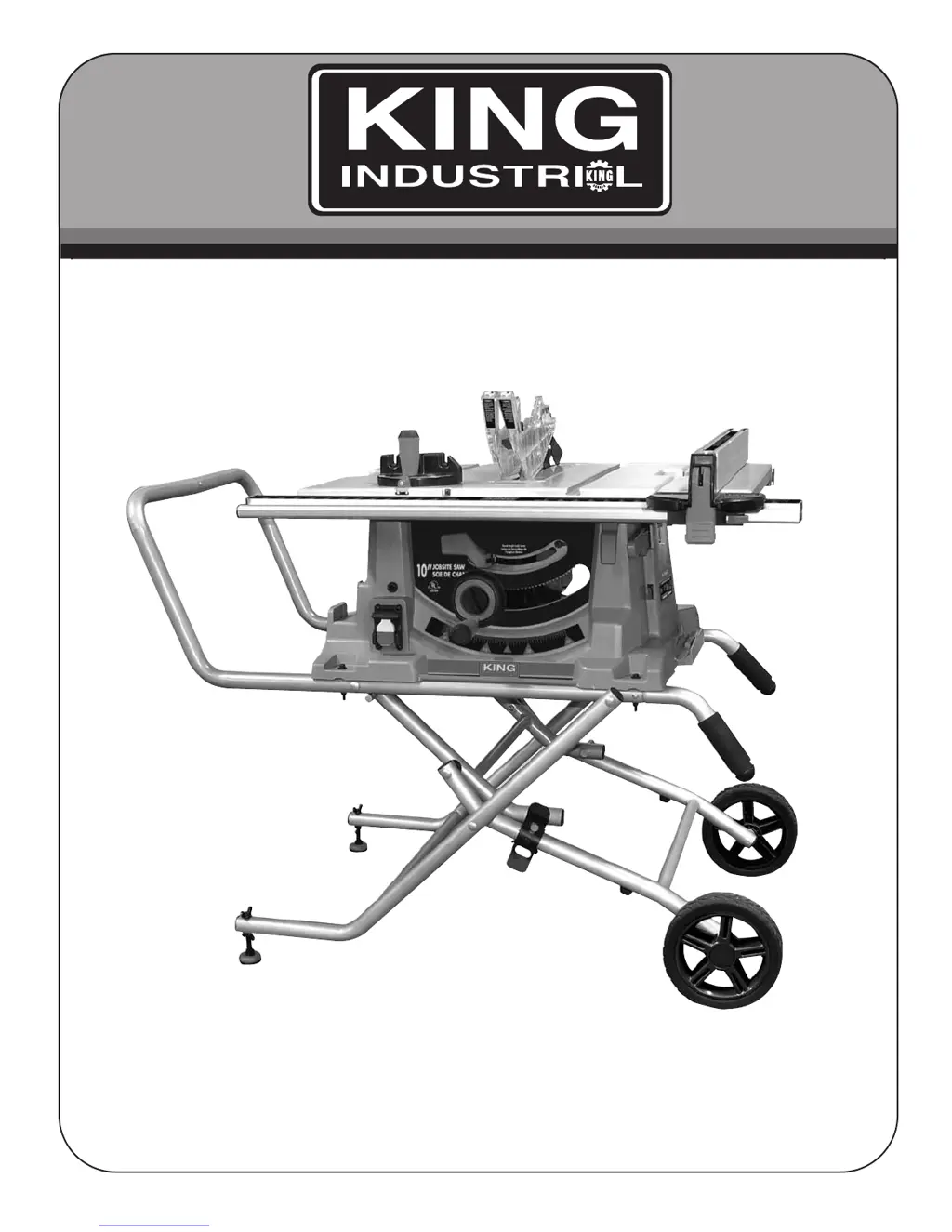
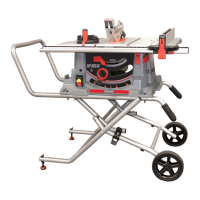
10” JOBSITE SAW WITH FOLDING STAND
05/2013

Questions and Answers

  • D
    Donna HintonAug 16, 2025
    Why does my King Industrial KC-5100C overload frequently?
    • T
      Timothy HenryAug 16, 2025
      Your King Industrial Saw may overload frequently due to several reasons: 1. Using an extension cord that is too light or too long; replace it with an adequate size cord. 2. Feeding stock too fast; try feeding the stock more slowly. 3. A blade in poor condition (dull, warped, or gummed); clean or replace the blade. 4. Blade binding because of a misaligned rip fence; check and adjust the rip fence. 5. Blade binding because of warped wood; select another piece of wood. 6. Low house current; contact your electrical company.
  • M
    Michelle SmithAug 19, 2025
    What to do if my King Industrial KC-5100C Saw will not start?
    • J
      Jamie RamirezSep 12, 2025
      If your King Industrial Saw will not start, consider these possible causes: * The saw is not plugged in. Solution: Plug in the saw. * A fuse is blown or the circuit breaker tripped. Solution: Replace the fuse or reset the circuit breaker. * The cord is damaged. Solution: Have the cord replaced by a certified electrician.
  • W
    williamselizabethAug 22, 2025
    Why does my King Industrial KC-5100C make unsatisfactory cuts?
    • C
      Christina WilliamsAug 22, 2025
      Unsatisfactory cuts from your King Industrial Saw can stem from: * A dull blade. Replace the blade. * The blade being mounted backwards. Turn the blade around. * Gum or pitch on the blade. Remove the blade and clean it with turpentine and steel wool. * Using an incorrect blade for the work. Change the blade. * Gum or pitch on the table causing erratic feed. Clean the table.
  • A
    Aaron Morse DVMAug 26, 2025
    Why does my King Industrial KC-5100C Saw vibrate excessively?
    • E
      Edward AveryAug 26, 2025
      Excessive vibration in your King Industrial Saw could be due to: 1. The saw not being securely mounted to the stand. Tighten all mounting hardware. 2. The stand being on an uneven floor. Reposition it on a flat, level surface. 3. A damaged saw blade. Replace the blade. 4. Loose hardware. Tighten all nuts, bolts, and set screws.
  • R
    Robert SpencerAug 28, 2025
    What to do if material pinches blade when ripping on King Industrial Saw?
    • A
      Anthony KingAug 28, 2025
      If the material pinches the blade when ripping on your King Industrial Saw, it could be due to: * The rip fence not aligned with the blade. Check and adjust the rip fence. * Warped wood. Select another piece of wood.
  • A
    Amy MendozaAug 31, 2025
    Why blade does not come up to speed on my King Industrial Saw?
    • J
      Jenna MeyerAug 31, 2025
      If the blade on your King Industrial Saw does not come up to speed, it could be because: * The extension cord is too light or too long. Replace it with an adequate size extension cord. * There is low house current. Contact your electric company.
  • M
    Miguel RodriguezSep 3, 2025
    How to fix inaccurate 45 and 90 degree rip cuts with King Industrial KC-5100C?
    • G
      Garrett LawsonSep 3, 2025
      If your King Industrial Saw does not make accurate 45 and 90 degree rip cuts, the tilt angle pointer may not be set properly. Check the blade with a square and adjust the pointer to zero.
  • D
    Danielle FitzgeraldSep 6, 2025
    What to do if material binds on riving knife of King Industrial KC-5100C Saw?
    • S
      sjohnsonSep 6, 2025
      If the material binds on the riving knife of your King Industrial Saw, it may be because the riving knife is not aligned correctly with the blade kerf. Check and align the riving knife with the blade kerf.
  • M
    Megan ShieldsSep 9, 2025
    Why blade does not raise or tilt freely on my King Industrial KC-5100C Saw?
    • G
      gnunezSep 9, 2025
      If the blade on your King Industrial Saw does not raise or tilt freely, it may be due to sawdust or dirt in the raising or tilting mechanisms. Brush or blow out any loose dust or dirt.
  • N
    Norman HernandezSep 12, 2025
    Why is the height/bevel handwheel hard to turn on my King Industrial KC-5100C Saw?
    • J
      Jennifer AndersonSep 12, 2025
      If the height/bevel handwheel on your King Industrial Saw is hard to turn, it could be because: * The gears are clogged with sawdust. Clean the gears. * The handwheel is locked. Unlock the height lock knob or release the bevel lever.

Summary

Warranty Information

Limited Tool Warranty

Details the 2-year limited warranty, exclusions, and claim process for the jobsite saw.

General & Specific Safety Instructions

Specific Safety Precautions for Jobsite Saw

Lists 16 safety rules specific to using the table saw, including guards, kickbacks, and body positioning.

Electrical Information

Power Supply and Cord Requirements

Details 120V/15A supply, polarized outlets, and extension cord specifications for safe operation.

Assembly & Adjustments

Folding Stand Assembly

Step-by-step instructions with diagrams for assembling the jobsite saw's folding stand.

Mounting Saw to Folding Stand

Instructions on how to securely attach the jobsite saw unit to the assembled folding stand.

Adjusting Extension Table, Blade Height, and Angle

Covers extending the table, setting blade height for cuts, and adjusting bevel angles for angled cuts.

Installing;Changing Blade

Detailed steps for safely removing an old saw blade and installing a new one.

Operation & Maintenance

Troubleshooting

Saw Not Starting or Overloading

Solutions for common issues like the saw not starting or the overload protection tripping frequently.

King Industrial KC-5100C Specifications

General IconGeneral
Voltage120V
Blade Diameter10 inches
Arbor Size5/8 inches
Maximum Cutting Depth at 90 Degrees3-1/8 inches
Table Size27 in x 20 in
No-Load Speed4800 RPM

Related product manuals