Page
6
of
22
King Pigeon Hi-Tech. Co., Ltd. Ver 1.0
GSM/GPRS/3G/4G/Cloud
Network Fault Monitoring Alarm
RTU5028E interface
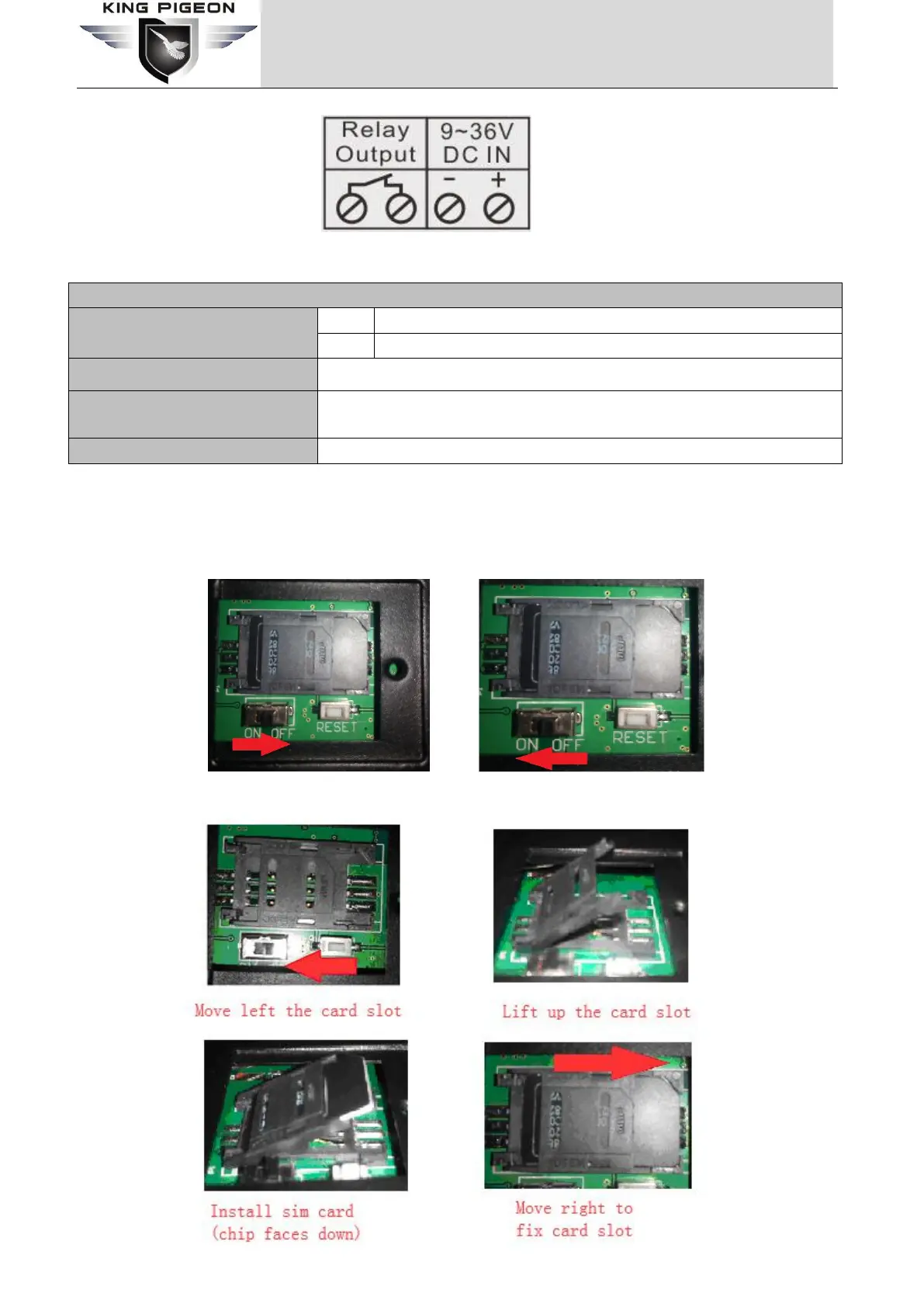
Normally closed relay output, no polarity distinction
GSM/3G/4G antenna interface
6.3 Backside Switch & Card Slot
At the backside of the panel, please use the tool to remove the screw, and you can see switch button, RESET
button(reset button has the function: 1.upgrade,press it and switch on the device will enter upgrade
state;2.reset,press it then hold on 3 seconds in the state of power on will reset ) and card slot as below:
Switch OFF Switch ON



 To Next Page