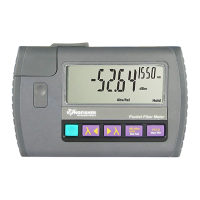
KI 9000 UM-14
OPERATION: Light Source
WARNING! Observe optical safety procedures relevant to the light
source power levels.
To switch on KI 9000 instruments for permanent operation, press and
hold [POWER] during turn-on. ‘Perm’ on the display indicates that the
unit will stay on permanently. Also during instrument turn on:
- to view all display segments, press and hold down [λ]
- to display firmware version, press & hold [HOLD] / [LEVEL]
- for quiet non-beeping operation, press and hold down [λ]
Should the instrument fail to turn on, the microprocessor may need re-
booting. To do this, remove the batteries for at least 40 seconds.
The light source may require a warm up period at the set wavelength
for 15 min to achieve specified stability (ORL< 25dB).
After instrument is turned on, the display shows ‘OFF; the emitters are
off’. To enable a source emitter, press [λ] or [λ]. Operating
wavelengths will be shown in the top corner on the right hand side and
source power level on the left hand side.
To scroll wavelength, press [λ] or [λ].
The mode of operation described below is typically used to perform
continuity testing with the test tone generator.
• Modulation is active only while the source is enabled. To select a
modulation tone, press [MOD] to scroll through available settings.
• Press and hold [MOD], then press [λ] to step down or [λ] to
step up the modulation tone or fiber ID number (1-12).
• Press and hold [MOD], then press [λ] for 3 seconds to set tone
to ID12.
• Press and hold [MOD], then press [λ] for 3 seconds to turn off
modulation.
Laser Output Power Adjustment
This operation mode can be useful so that both 1310 / 1550 nm have
the same power meter reference level, to make dual λ testing easier.
• To decrease the laser output power, turn the laser ‘on’, then press
[LEVEL].
• Press and hold [LEVEL], then press [λ] to step down or [λ]
to step up the output power.
• Press and hold [LEVEL], then press [λ] for 3 seconds to set
output power to factory default. Alternatively, press [POWER].
• Press and hold [LEVEL], then press [λ] for 3 seconds to set
output power to minimum.
Note: This function is not available on the LED source option, and may
be inaccurate on VCSEL laser sources.


 To Next Page