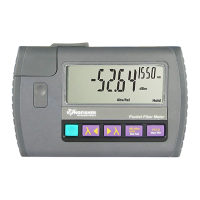
KI 9000 UM-14
CALIBRATION AND MAINTENANCE
Power Meter Calibration
Calibration is a transfer process. It is performed by setting up a light
source at a stable, but non-critical power level between 0 and -30 dBm,
and adjusting the meter reading to the same value as that shown by a
reference meter.
Required are laser and LED light sources with accurate, calibrated
wavelengths and good power stability, a power meter with appropriate
calibrated wavelengths, single mode and multimode test leads. Check
the calibration certificates on your reference equipment to ensure
current validity.
Known calibration constants can be re-entered directly without using
other equipment. This is useful in case old calibration constants are to
be put back.
Record the existing calibration offsets, re-enter or adjust known offsets
at this point or calibrate the meter at the selected wavelength as
follows:
Note: this process may not be as accurate as the original factory
calibration process.
• Inserting the 2.54 mm (0.1”) pitch programming shunt across
pins will put the instrument into calibration mode. It will
display ‘CAL’.
• Press [λ] or [λ] to set the wavelength to be calibrated.
• Record the light source power measured by reference power
meter.
• Transfer this power level to the meter to be calibrated:
Press [HOLD] to display power reading. Press [HOLD] again
to display current offsets. Record the current (old) value.
Press [HOLD] again, then [λ] or [λ] to adjust reading
to match the noted reference reading. Press [HOLD] again
to display current offsets. Record the current (new) value.
Note: Toggling the [HOLD] button will show the power
reading and the offsets on the display.
• To set the new value, press and hold [dB/dBm/ mW] until the
instrument beeps. The display will show ‘CAL’ and calibrated
wavelength.
• Repeat above process for other wavelengths.


 To Next Page