-- iKey 使用說明書 --
V1 6
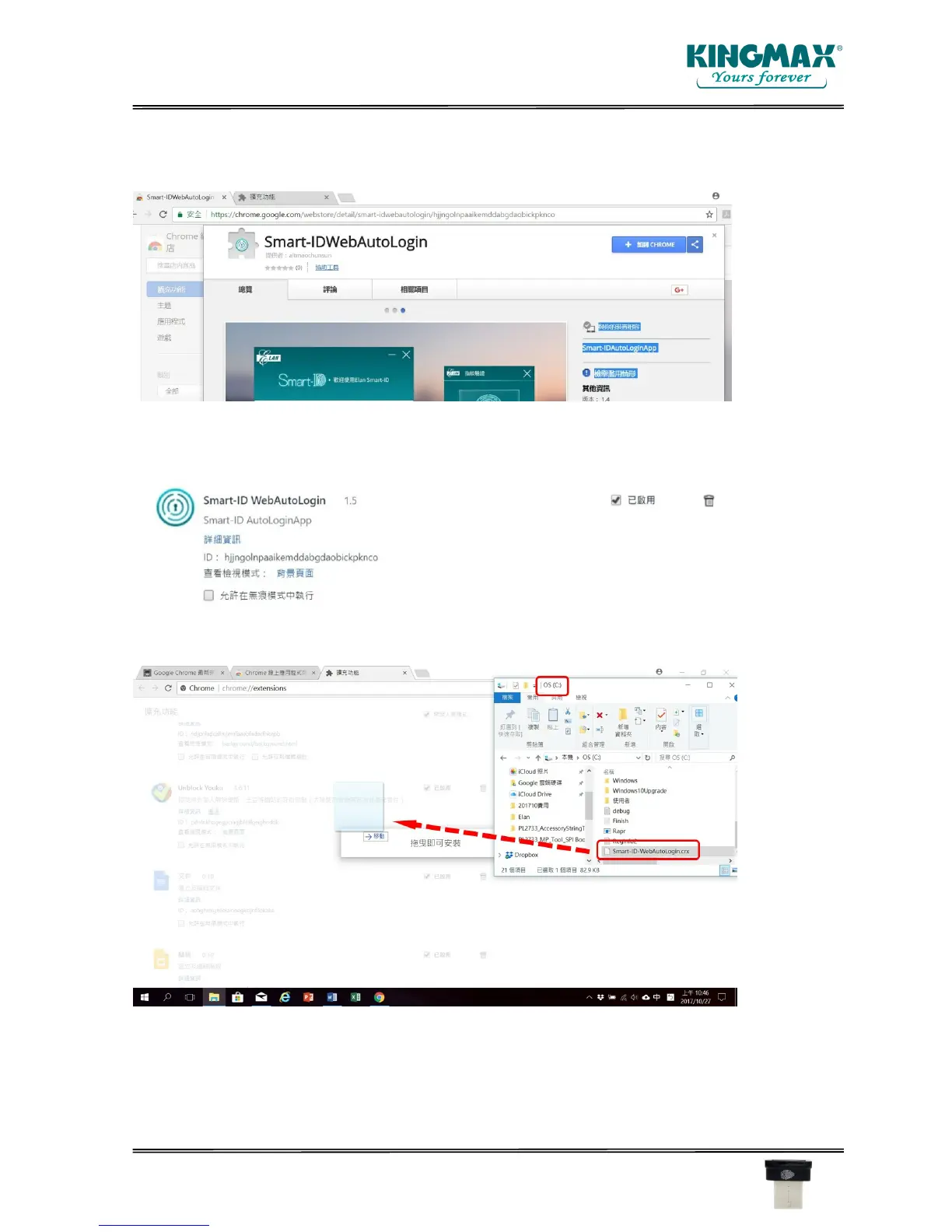
If you have Chrome installed, the following Smart-IDWebAutoLogin program should be installed.
Please install and enable the addon program.
If you cannot connect to Chrome application store, you can install the addon program manually.
In C:/ directory, you can find Smart-ID-WebAutoLogin.crx, just drag & drop the file to the addon
manager on Chrome browser.



 To Next Page