3. Assemble the tutorial 4. Display
76
Step five
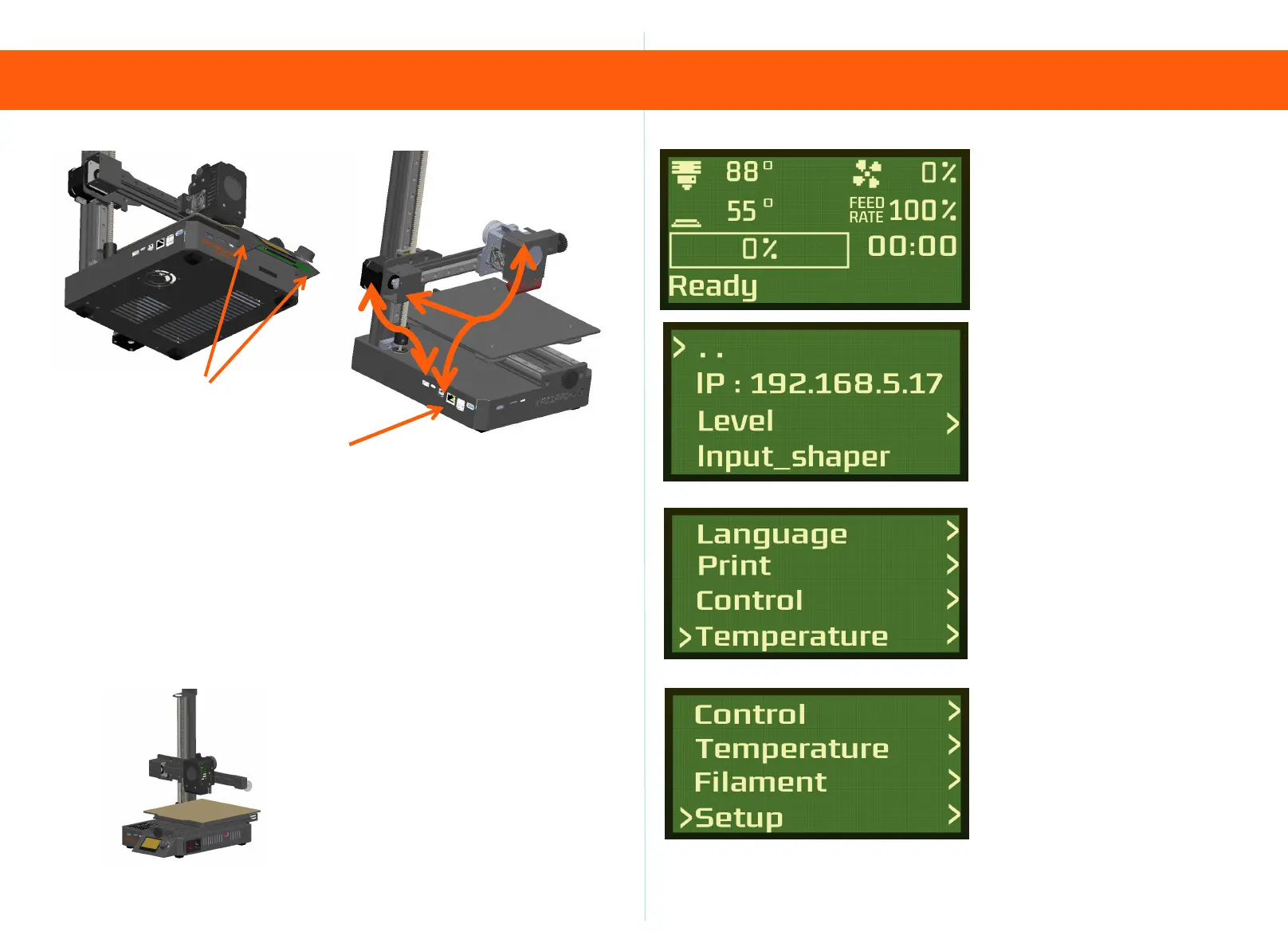
1: Take out the X-axis motor line to link the motor
and the motherboard
2: Take out the conversion link extruder head and motherboard,
and fix the conversion line with rolling tape Cover the X-axis motor.
3: Connect the network cable to your router
Step 6
Plug in the power cord for power-on
Please note: Please check the local
voltage before startingRequired,
110V/220V switch
Cable interface
Insert the display into the host
————Main interface
——IP address
——Level setting
——Vibration compensation
setting
——Language setting
——print
——Return to zero setting
——Temperature setting
——Consumable setting
——Machine setup


 To Next Page