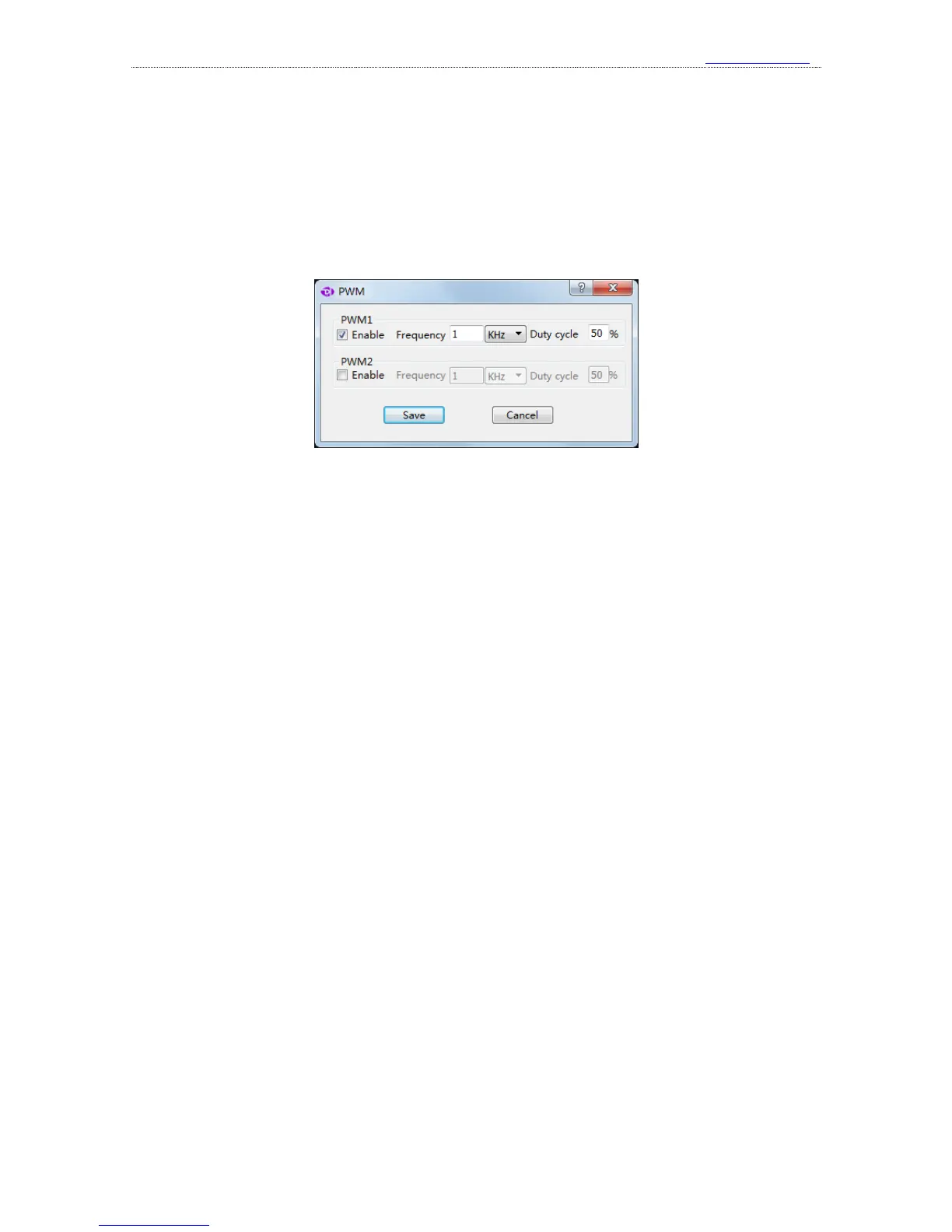
PWM1 is turned on, and outputs 1KHz square wave with 50% duty cycle; while PWM2 is turned
off, and outputs low level.
If you press the arrow-like button on the right most side, you could get the PWM settings
dialog. In this dialog, the PWM channel could be turned off through “Enable” box. If it is turned on,
we could edit the frequency and duty cycle. After the settings are complete, just press the “save”
button, and the software will generate the PWM signal with the new configuration.



 To Next Page