Film Gate Components
Issue: 04/2011
• The “select” function is activated by holding the
control closed more than
2 seconds.
$The turret will not rotate. The turret solenoid makes a clattering sound which means
that a new format combination has been selected.
$The format combination changes to the next combination, for example:
- from and to and .
If you activate the “Select” input again the format combination will be changed
again, for example:
- from and to and and so forth. After the “Select” input was selected three
times, the combinations repeat.
X
Check your selection and push WS (at) or CS (scope) button. The turret turns to the
selected lens and the aperture changer changes to the selected aperture.
X
Make a note which shows you which aperture combination is chosen after how many
times he SELECT button was pushed.
X
Z Changing the aperture changes the lens too, see also lens turret, chapter 3.2.6.2.
Z If the projector is equipped with an aperture changer do not push single aperture
plates into the slit, because there is no stop and lock device for that aperture plate.
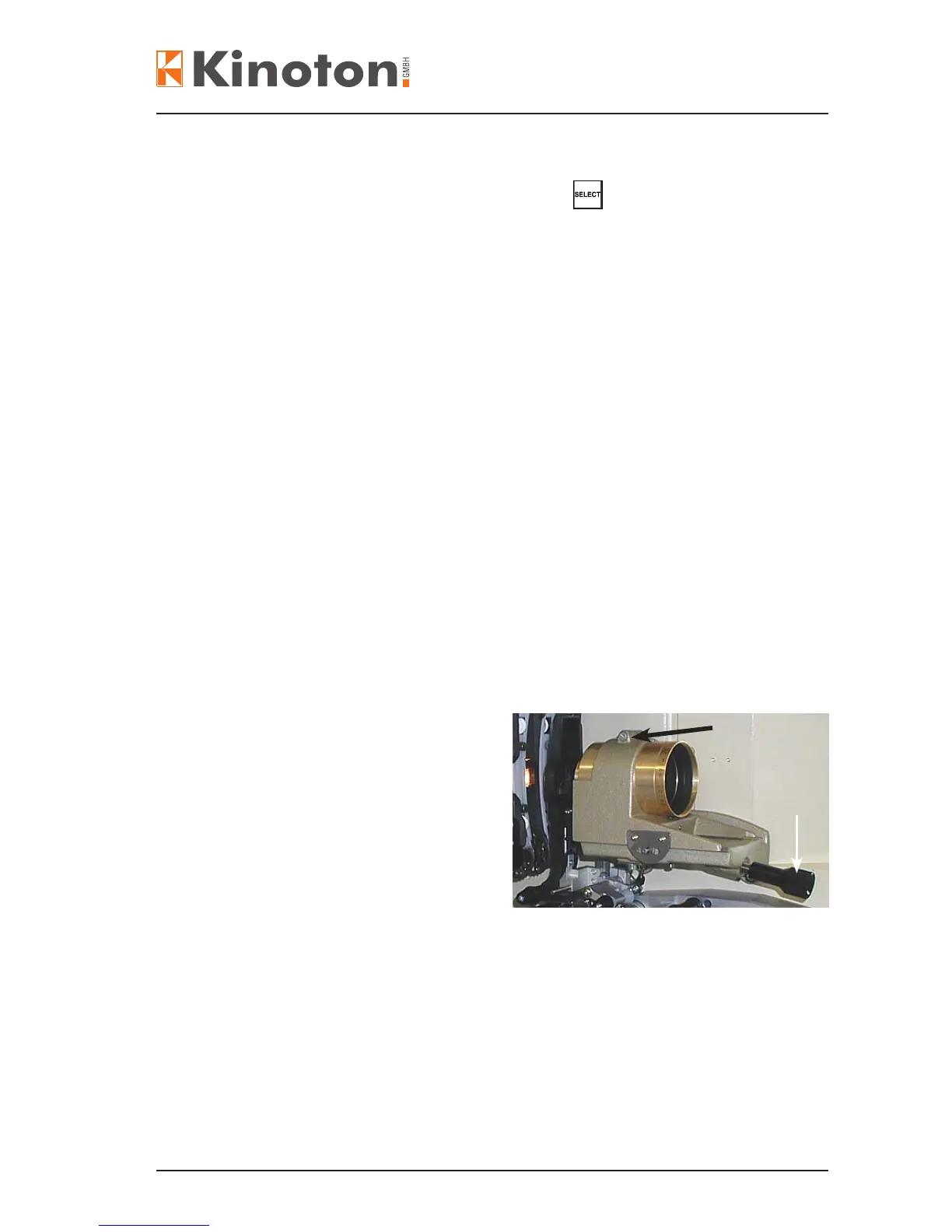
• Loosen the clamping screw (black
arrow) for inserting a lens and then
tighten the screw again.
• For focusing turn the focusing
adjusting knob (white arrow).
X
Adjusting the lens holder, see chapter 6.4.5.



 To Next Page