EasyManua.ls Logo

Kinsa Smart Ear Thermometer A-10240 - User Manual

Default Icon
8 pages
Print Icon
To Next Page IconTo Next Page
Loading...
ENGLISH
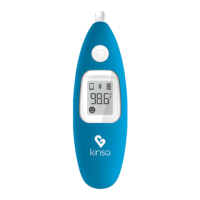
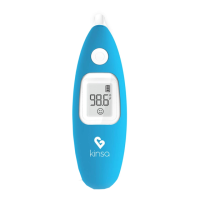
Kinsa Smart Ear Thermometer
TM
Instructions For Use
Thank you for purchasing the Kinsa Smart Ear
Thermometer™, a professionally accurate instrument for
fast and easy temperature taking in the ear. Please read
these instructions carefully to ensure accurate
temperatures and safe operation.
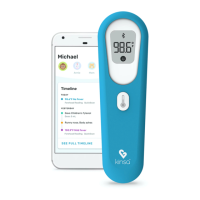
Your Kinsa Smart Ear Thermometer is optimized for use
with the free Kinsa app, but can be used alone as well. For
the full experience including features such as symptom
tracking and fever guidance, download the app on the
App Store or Google Play store and connect your
thermometer to your mobile device. For the full list of
supported devices, see kinsahealth.com/phones.
1
Feel Better.
Question and Answer IconNeed help?

Do you have a question about the Kinsa Smart Ear Thermometer A-10240 and is the answer not in the manual?

Summary

Product Description

Intended Use

Warnings And Precautions

Features of your Kinsa Smart Ear Thermometer

Body Temperature

Why Measure in the Ear?

To Set Up Your Thermometer For First Time Use

Having trouble?

Troubleshooting connection issues between the thermometer and the Kinsa app.

To Set Up Your Thermometer with Additional Mobile Devices

Taking a Temperature

Understanding Your Thermometer Display

Changing The Temperature Scale

Replacing the Battery

Cleaning And Storage

Calibration

Product Specifications

Explanation of Symbols

Limited Warranty

Kinsa Smart Ear Thermometer A-10240 Specifications

General IconGeneral
TypeEar Thermometer
Model NumberA-10240
ConnectivityBluetooth
Age RangeAll Ages
DisplayLCD
Measurement MethodInfrared
Measurement Time1 second
Auto Shut-offYes
App CompatibilityiOS and Android
Measurement Range89.6°F - 109.2°F (32.0°C - 42.9°C)
Accuracy±0.4°F (±0.2°C)
Power SourceBattery Powered
Battery2 AAA batteries

Related product manuals