Need help?
Do you have a question about the Kinsa Smart Ear Thermometer and is the answer not in the manual?
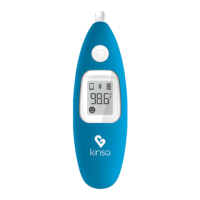
Diagram illustrating the Kinsa Smart Ear Thermometer parts and their labels.
Highlights fast readings, accuracy standards, ease of use, and smart functionality via app.
Specifies intended use for body temperature measurement in adults and children.
Details safety measures, operating ranges, and handling instructions.
Explains how body temperature varies and how to establish a normal baseline.
Guides on downloading the app and pairing the thermometer for the first time.
Instructions for pairing the thermometer with secondary mobile devices.
Step-by-step procedure for obtaining an accurate temperature reading.
Explains various icons and error messages displayed by the thermometer.
Details how to switch between Celsius (°C) and Fahrenheit (°F) units.
Provides guidance on probe care, device cleaning, and proper storage conditions.
Lists technical details including temperature ranges, accuracy, and battery life.
Lists international and regulatory standards the thermometer adheres to.
Outlines the product's warranty coverage and limitations.
Defines various symbols used throughout the manual and on the device.
 General
| Type | Ear thermometer |
|---|---|
| Connectivity | Bluetooth |
| Measurement Method | Infrared |
| Measurement Time | 1 second |
| Age Range | All ages |
| Readout | Digital display |
| Compatibility | iOS, Android |
| Measurement Range | 32.0°C to 42.9°C (89.6°F to 109.2°F) |
| Accuracy | ±0.2°F (±0.1°C) |
| Battery | CR2032 |
| Power Source | Battery |

 To Next Page