K110sm8e3.doc
8-29
16. It is necessary to check the balance of original feeding between left and right after validating
the new setting.
(Left side means “a-c points” side, and right side means “b-d points” side.)
Repeat the former steps from “3” to “12” also for the right side (between “b point” and “d point”),
and compare the values of Feed Adjustment Value between left (a-c points) and right
(b-d points).
You do not have to do anymore thing if the difference between left and right is within 0.2%.
(“within 0.2%” means the difference of indicated values is within +/-20.)
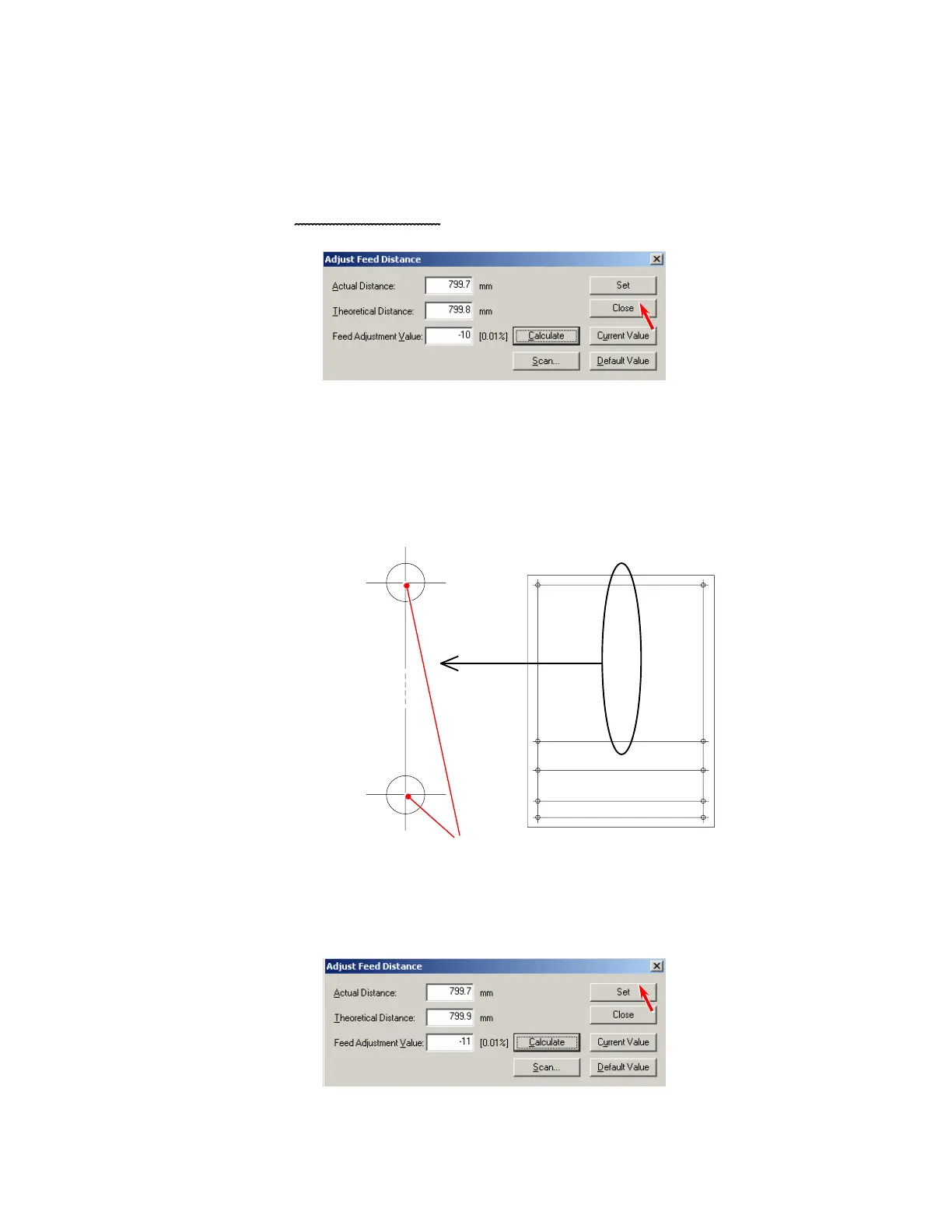
Please click [Close] without clicking [Set]
.
17. If the difference of the values of Feed Adjustment Value between left and right is larger than
0.2%, do as follows.
a) Measure the actual distance between the center of a-b points and that of c-d points on
the Target Sheet.
Center of a-b points
Center of c-d points
Measure between these 2 points.
b) Repeat the former steps from “3” to “12” for the center area.
c) Click [Set] to validate the Value indicated in [Feed Adjustment Value].
b
d 1000
a
c 800
c 1000
d 800
d 1100
c 1100
d 1150
c 1150



 To Next Page