K110sm8e1.doc
8-2
8. 1 Installation
Dependent on the version of firmware installed, the KIP 3000 scanner may use the same
USB Driver and Utility Software as the KIP 600 Scanner. The KIP 3000 scanner can use the
KIP 600 Utility and the KIP 600 USB driver if version 1.31 or higher firmware is installed in
the scanner. Please use Utility Version 0.98 or higher and Firmware Version 1.31 or higher
for the KIP 600
8. 1. 1 Installing USB Driver
If you already have installed this USB Driver, skip this section and see [5.1.2. Installing Utility
Software].
1. Disconnect the USB Cable on a KIP printer and connect it to your service PC.
NOTE:
If you introduce the USB Driver for the KIP 600 for the first time,
see Step 2 to 9 to Installing USB Driver.
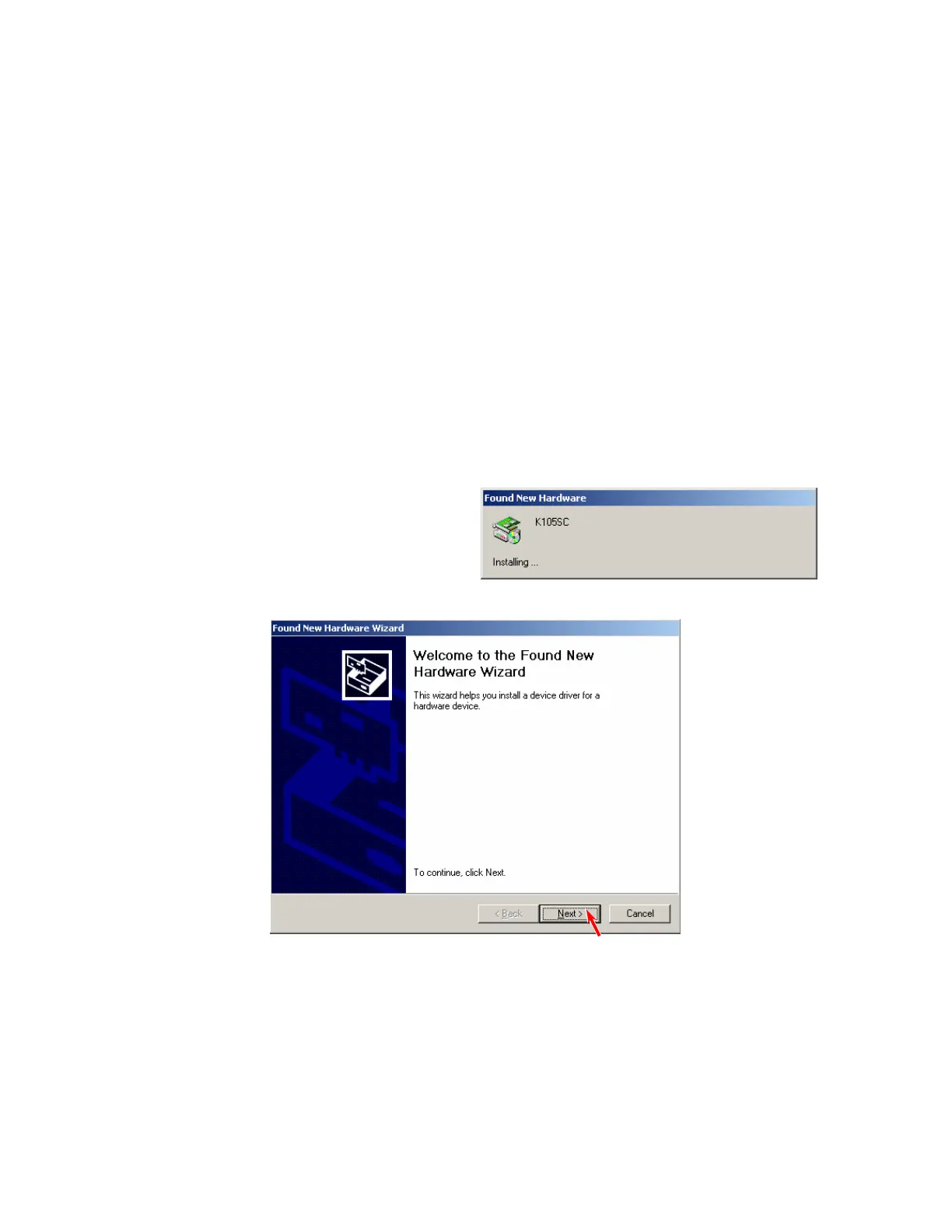
2. Turn on both your PC and the KIP 600.
[Found New Hardware Wizard] starts
automatically. Click [Next].



 To Next Page