K110sm2e1.doc
2-3
2. 2 Unpacking
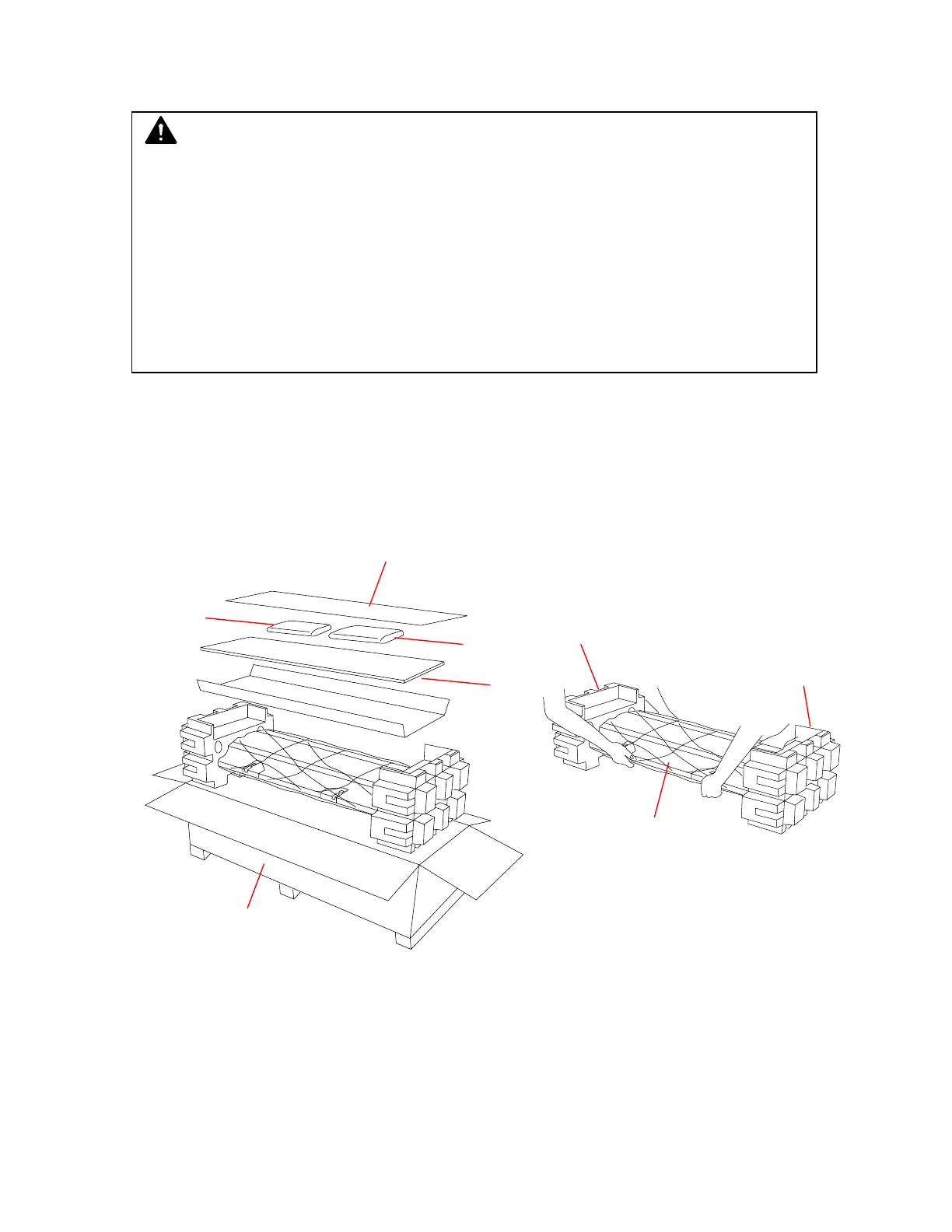
1. Open the outer box (1).
2. Remove the cardboard (2).
3. Remove the calibration sheet box (3) and the accessories (4).
4. Carry the scanner by its front and rear bottom on both sides.
Remove the scanner from the outer box. Place the scanner on a flat surface.
5. Remove the protectors (5).
6. Remove the plastic bag (6).
CAUTION
• If the KIP 600 is very much cooled down having been kept in a cold warehouse for a long
time, carry it to the room you will install and then leave it in that room for 6 hours or longer
before removing its packages.
When the KIP 600 has been warmed up enough by the room air after 6 hours (or longer),
start removing the packages.
The KIP 600 may get dewed if you remove the packages although it is still cold, which will
result in several troubles.
• Bring the scanner unit by 2 or more persons. (Weight: about 24kg)
1
2
4
5
5
6
4
3



 To Next Page