Chapter 2 Basic Operation 2-17
2. 6 Copying (for MFP Model)
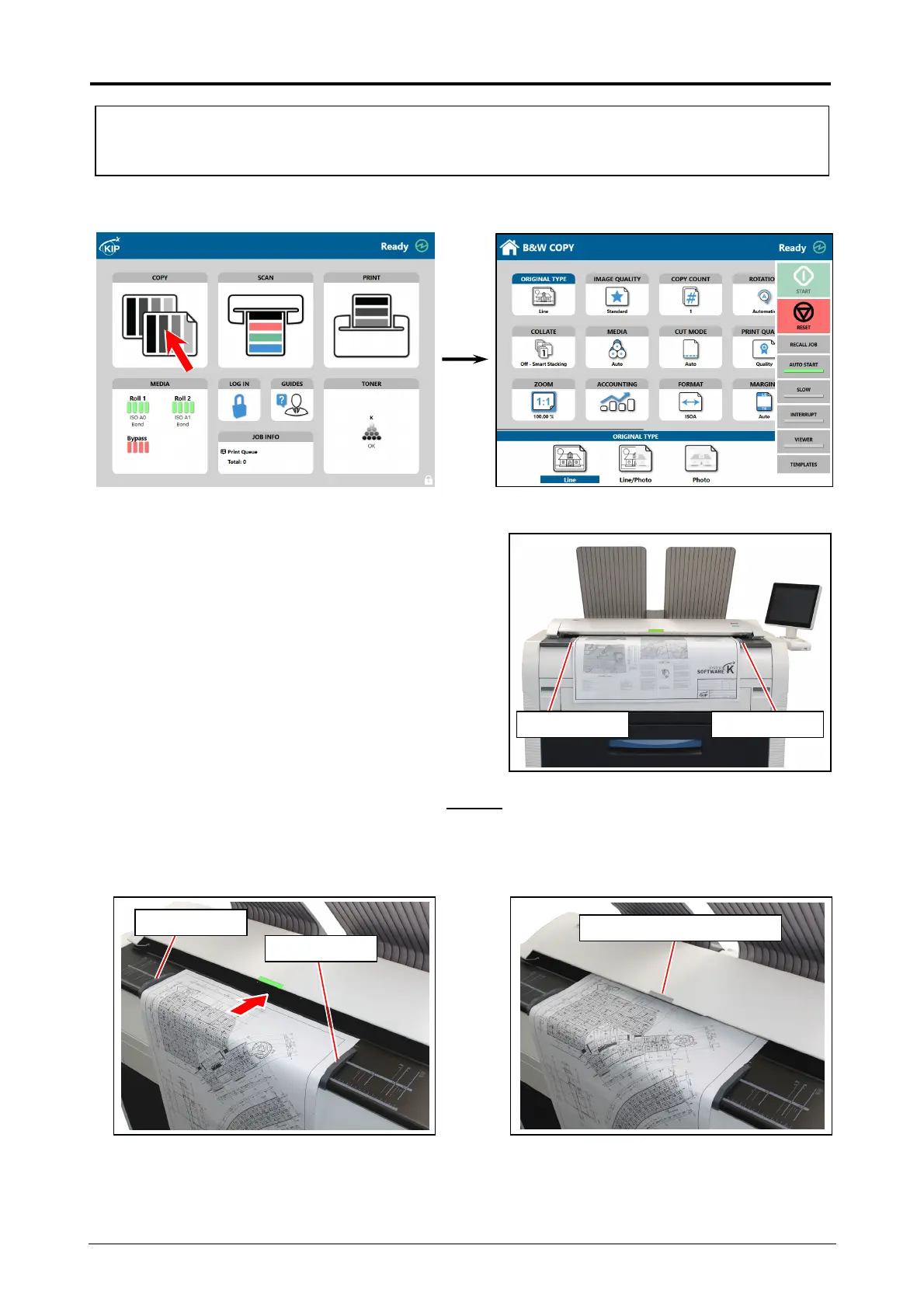
1. Press [COPY] in UI Home screen.
2. There are several size markings on Original Table
which indicate possible feed positions.
Line up Original Guides with the proper markings
according to the original width.
3. Place the original on the Original Table with face up
.
Then insert it under the Scanner Unit along with Original Guides.
When the leading edge touches the original feeding roller, the machine automatically carries
and sets the original at the proper position. When the original is at wait position, the LED
Indicator will turn off.
Original Guide Original Guide
Original Guide
Original Guide
LED Indicator : Turn off
Please refer to the detailed procedure for making a copy, which is included in "GUIDES" in UI
Home screen as well.


 To Next Page