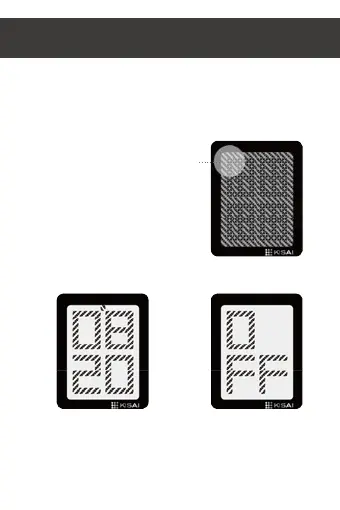
Touch button D to display the alarm time. The AM or PM
indicator will be displayed to indicate that the alarm time is
set to AM or PM.
,f alarm is off display will show OFF.
The alarm time is displayed in the same way as the time; alarm
hours in the upper half of the screen and alarm minutes in
the lower half of the screen.
When the alarm sounds, you can turn it off by touching
any button.
4. How to check the alarm time
touch button D
Example 1:
alarm time 8:20 AM alarm on
Example 2:
alarm off


 To Next Page