VIII. TROUBLESHOOTING
PROBLEM
POSSIBLE CAUSE SOLUTION
Power On LED is off
Power Switch Off Turn power On
10/100 Light On
10M bit connection No problem
Network cable not connected Connect Network cable
Device Not Displayed on
Main page
Page not setup to display all devices Click edit View and update view, adding devices
An action is greyed out Permission not setup
Administrator must manage users and roles to give the permission
required.
No communication to
Devices
Jumpers set incorrectly on ORB PCB Setup jumpers per page 8, 9
Wiring incorrect Correct wiring per page 8, 9
Com port not setup correctly Click setup serial ports and correctly setup the serial port being used
Broken serial cable Do a continuity check or serial cable
Device power off Check power on each device
Damaged ORB serial port
Login as an Admin, click setup serial ports and run the loop back
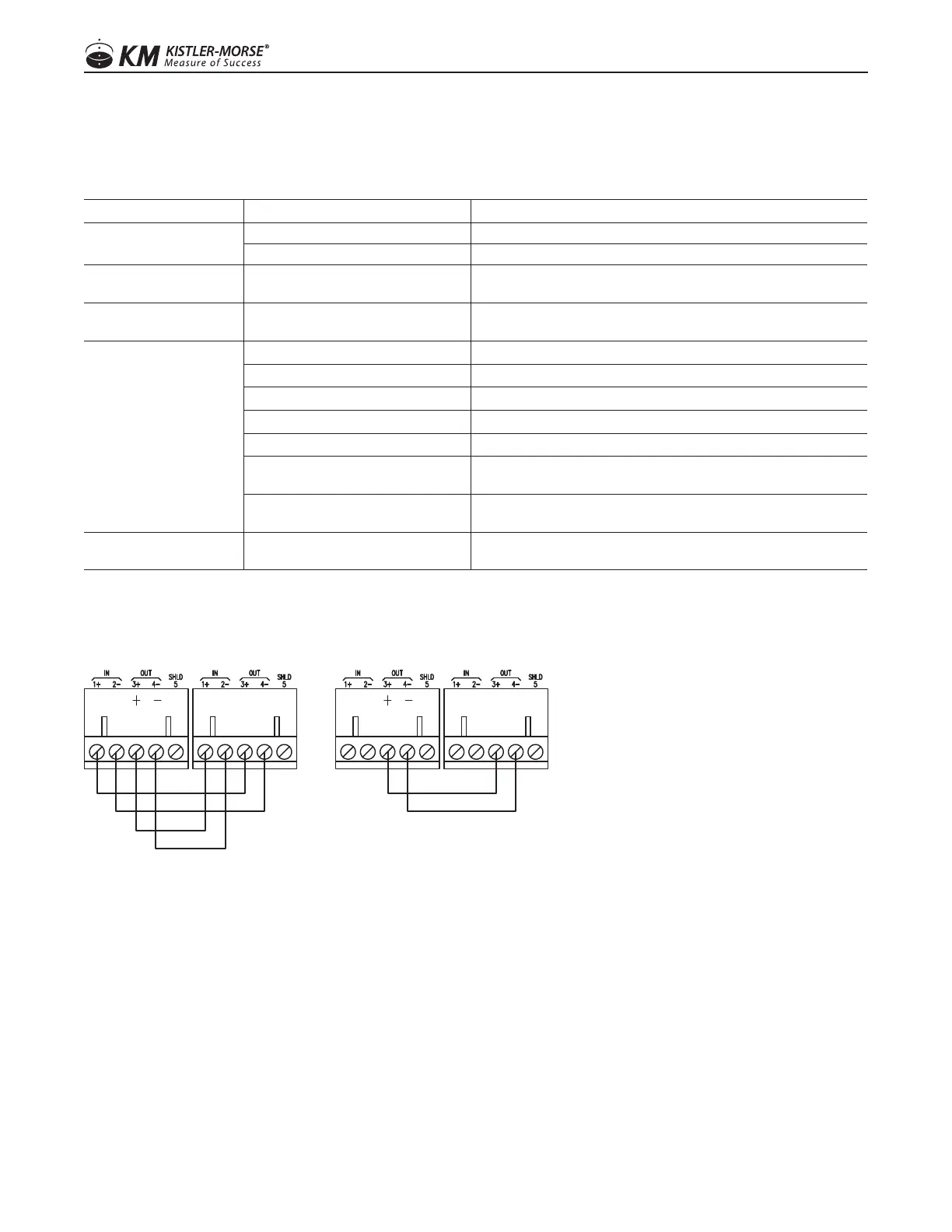
test. See Figure 4 for wiring of loopback
120 Ώ End of Line Resistor not
installed for Modbus
See wiring per page 9
Unable to connect to ORB
Incorrectly set IP address
Short pins 2 and 3 of the service DB9 serial port during a power
cycle to set the IP address back to 192.168.1.170
Figure 4. Wiring for Loop Back Tests
RS-485 RS-422
1616
97-1167-01 Rev. J
www.kistlermorse.com



 To Next Page