20 | Page
keys
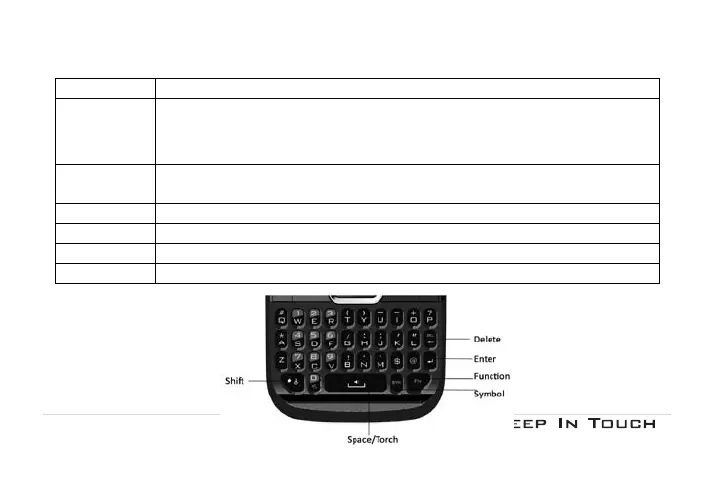
FN Key
Activate FN mode to enter digits or characters printed on the top part of the keys, Press
the FN Key once to activate it once, press the FN Key twice can activate FN mode all the
time, in this case, to deactivate the FN mode, press the FN key.
Space Key Press to input space.
In idle mode, long press to switch on the Torch.
Enter Key Press to input in a new line
Delete Key Press to clear a letter
Shift Key Press to switch input methods when entering text.
Symbol Key Press to enter symbol.



 To Next Page