8 | Page
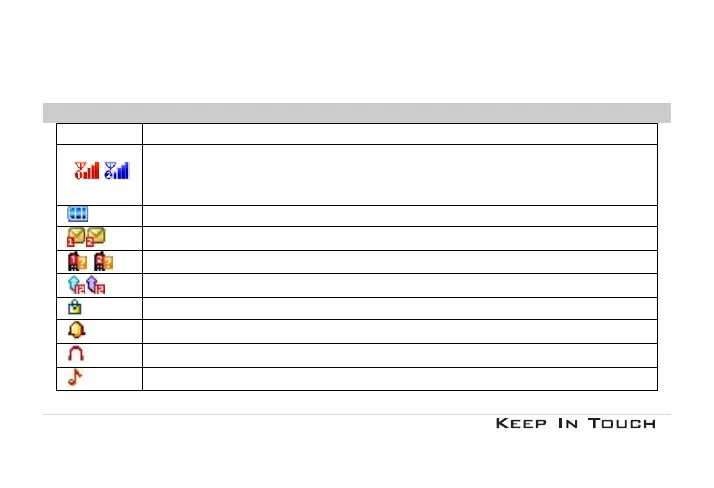
1.3 Display Symbols
Symbole Description
Network - Indicates signal strength (no bar indicates no signal; 4 bars indicate strongest).
Battery - Indicates battery level.
Message - Indicates you have one or more unread messages.
Missed call - Indicates there is a missed call.
Call Divert - Indicates that “Divert All Voice Calls” is activated.
Lock- Indicates that the keypad is locked.
Alarm-Indicates that the alarm clock is on.
Headset-Indicates that headset profile is activated.
Alert type is “Ring”.



 To Next Page