14
SETTING UP YOUR FOOD PROCESSOR
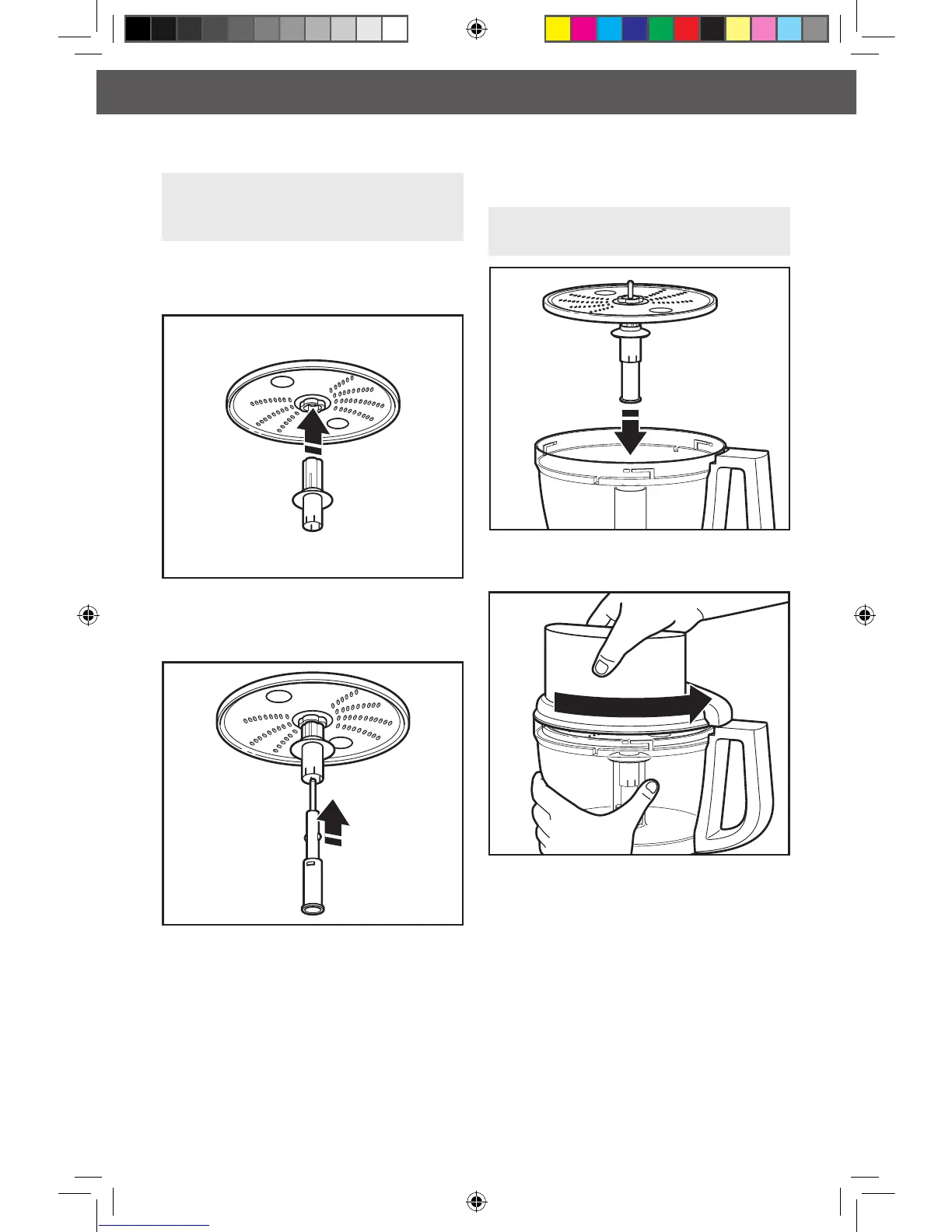
Installing the Shredding Disc
1. Holding the disc by the 2 nger grips,
insert the disc adapter into the hole in
the bottom of the disc.
2. Slide the drive adapter into the disc adapter
as far as it will go, until it clicks into place.
IMPORTANT: When using the reversible
shredding disc, have the desired side
(medium/ne) facing UP.
3. With the work bowl installed, slide the
drive adapter onto the power shaft.
4. Install the work bowl cover, being sure it
locks into place.
TIP: You may need to turn the disc/drive
adapter until it drops down into place.
W10505785Bv3.indd 14 6/12/13 10:22 AM








 To Next Page