EasyManua.ls Logo

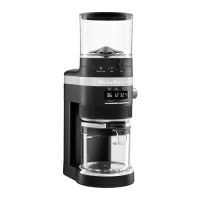
KitchenAid KCG8433 - User Manual

KitchenAid KCG8433
40 pages
Print Icon
To Next Page IconTo Next Page
Loading...
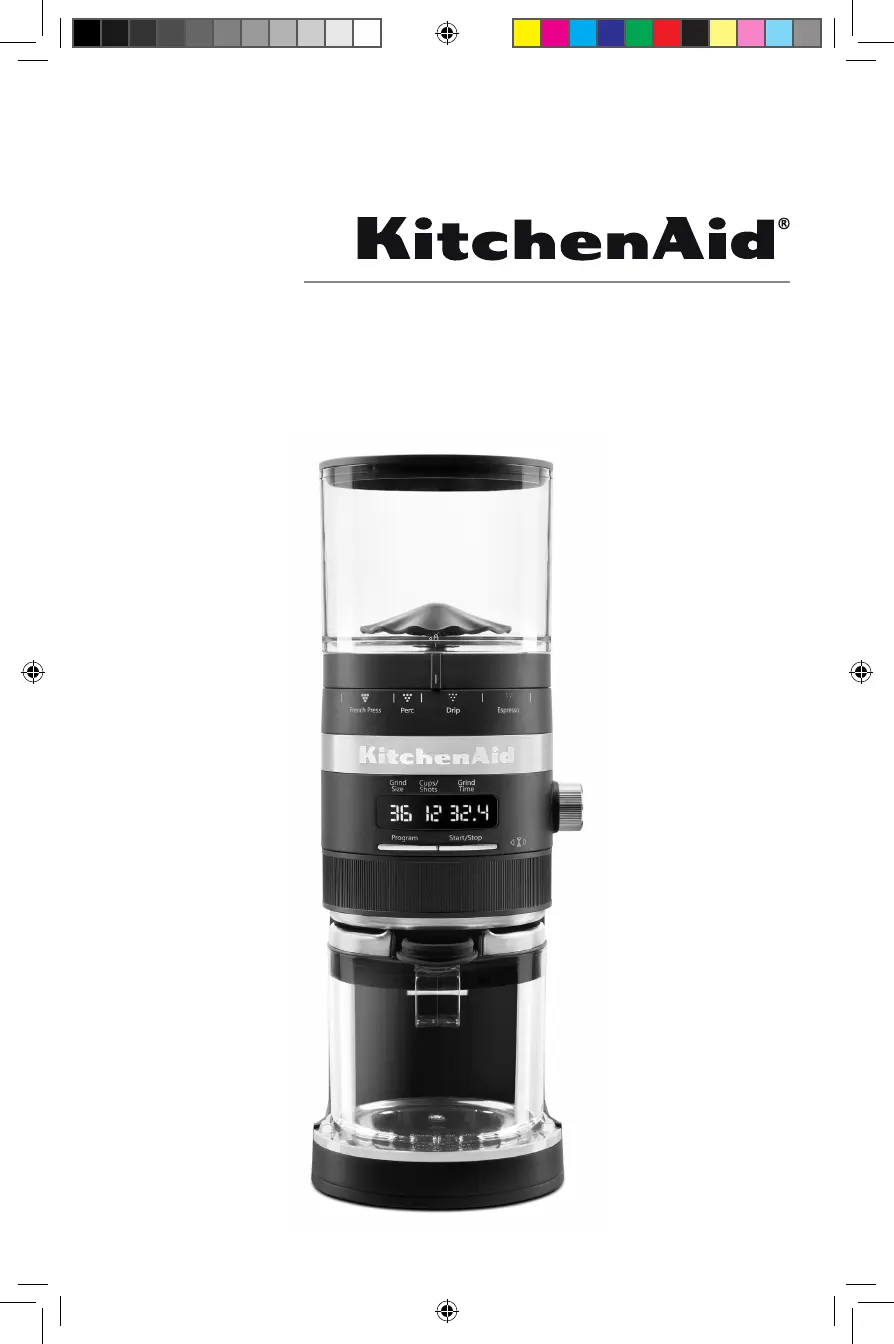
Coffee Grinder
KCG8433
W11312158A.indb 1W11312158A.indb 1 1/6/2020 5:56:34 PM1/6/2020 5:56:34 PM

Questions and Answers

  • C
    Carla PruittAug 15, 2025
    What to do if my KitchenAid KCG8433 doesn't turn on and shows 'Er2'?
    • M
      Michelle ButlerAug 15, 2025
      If the KitchenAid Coffee Grinder displays 'Er2' and doesn't turn on, it's likely in motor overload protection mode. To resolve this, unplug the grinder, thoroughly clean the burrs, reassemble the machine, and then securely plug it back into a grounded outlet.
  • J
    jacquelinefigueroaAug 18, 2025
    Why is coffee not coming out of my KitchenAid KCG8433 Coffee Grinder?
    • S
      Sara ThompsonAug 18, 2025
      If your KitchenAid Coffee Grinder isn't dispensing coffee from the grind outlet, make sure the top hopper contains fresh coffee beans.
  • F
    Frances HowellAug 21, 2025
    Why does my KitchenAid Coffee Grinder show 3 dashes on the display?
    • A
      Ana SmithAug 21, 2025
      If the KitchenAid Coffee Grinder displays three dashes (---), it means the top hopper isn't locked in place correctly. Refer to the product assembly instructions to ensure proper installation.
  • L
    Louis RubioAug 25, 2025
    What to do if my KitchenAid KCG8433 Coffee Grinder stops abruptly?
    • P
      praymondAug 26, 2025
      If your KitchenAid Coffee Grinder suddenly stops while operating normally, it's possible a coffee bean has jammed the burrs. Stop the grinder and refer to the 'Care and Cleaning' section for detailed instructions on cleaning the burrs.
  • J
    Johnny RileyAug 28, 2025
    Why does my KitchenAid KCG8433 not start?
    • D
      David LesterAug 28, 2025
      If your KitchenAid Coffee Grinder doesn't turn on, ensure it's securely plugged into a grounded outlet. Also, check your circuit breaker box to confirm the circuit is closed.
  • D
    dixonstevenAug 31, 2025
    What to do if my KitchenAid Coffee Grinder doesn't turn on and shows 'Er3'?
    • C
      Cindy WardAug 31, 2025
      If the KitchenAid Coffee Grinder displays 'Er3' and doesn't turn on, it's in protection mode. Unplug the grinder and let it cool down for 10 minutes before turning it back on.
  • B
    Bobby DavisSep 4, 2025
    How to adjust the coffee quantity on my KitchenAid KCG8433?
    • M
      meghan38Sep 4, 2025
      If the automatic dosing quantity of your KitchenAid Coffee Grinder isn't to your liking, remember that the coffee doses are programmable. Refer to the programming section for instructions.
  • J
    James Howard PhDSep 7, 2025
    How to turn on KitchenAid KCG8433 Coffee Grinder display?
    • S
      Sandra AllenSep 7, 2025
      If the display of your KitchenAid Burr Grinder is not illuminated, the machine might be in standby mode. Try pressing any button or turning any knob to wake it up.
  • J
    Jimmy WestSep 12, 2025
    What to do if the problem with my KitchenAid KCG8433 cannot be corrected?
    • S
      Sheryl YoungSep 12, 2025
      See the “KitchenAid® Warranty and Service” sections. Do not return the Burr Grinder to the retailer – retailers do not provide service. NOTE: Any other servicing should be performed by an authorized service representative.

Summary

Parts and Features

Product Safety

Important Safeguards

Essential safety precautions to follow when using the electrical appliance.

Electrical Requirements

Product Overview

Product Assembly

Product Usage

Program Function

Micro-Adjusting the Conical Burrs

Care and Cleaning

Cleaning the Burrs

Detailed steps for cleaning the upper and lower burrs of the grinder.

Troubleshooting Guide

Warranty and Service

Disclaimer of Implied Warranties; Limitation of Remedies

Legal information regarding implied warranties and customer remedies.

Hassle-Free Replacement Warranty-50 United States, District of Columbia, and Puerto Rico

Details on KitchenAid's hassle-free replacement warranty for US customers.

Arranging for Service After the Warranty Expires, or Ordering Accessories and Replacement Parts

Information on obtaining service and parts after the warranty period.

KitchenAid KCG8433 Specifications

General IconGeneral
Product typeBurr grinder
Product colorBlack
Coffee beans capacity340 g
Number of grinder settings70
Adjustable grinder settingsYes
AC input voltage120 V
AC input frequency60 Hz
Weight and Dimensions IconWeight and Dimensions
Depth127 mm
Width209.55 mm
Height381 mm
Weight2721 g

Related product manuals