,,ising and Caring for Your Oven
Starting an operation
After programming a function, you must
press ENTER.
Resetting an operation
• When cooking is done, move SELECTOR
knob to RESET position. The oven is then
ready for the next cooking function.
......... :
1. Place SELECTOR in RESET
position.
2. Press ENTER until the display
shows "12:00" and the CLOCK
indicator is blinking.
Canceling an operation
* CANCEL will cancel any functions, except
for the clock/time of day.
• After canceling an operation, "End" will
be displayed to show the function was
cancelled,
3. Rotate SET until desired time is
shown.
4. Press ENTER to accept time on
display.
To select a new cooking function:
• You must turn SELECTOR back to
RESET.
To change current time:
Follow steps 2-4.
NOTE: You may hear the cooling fan after
you press CANCEL. It will shut off
automatically when the oven cools.
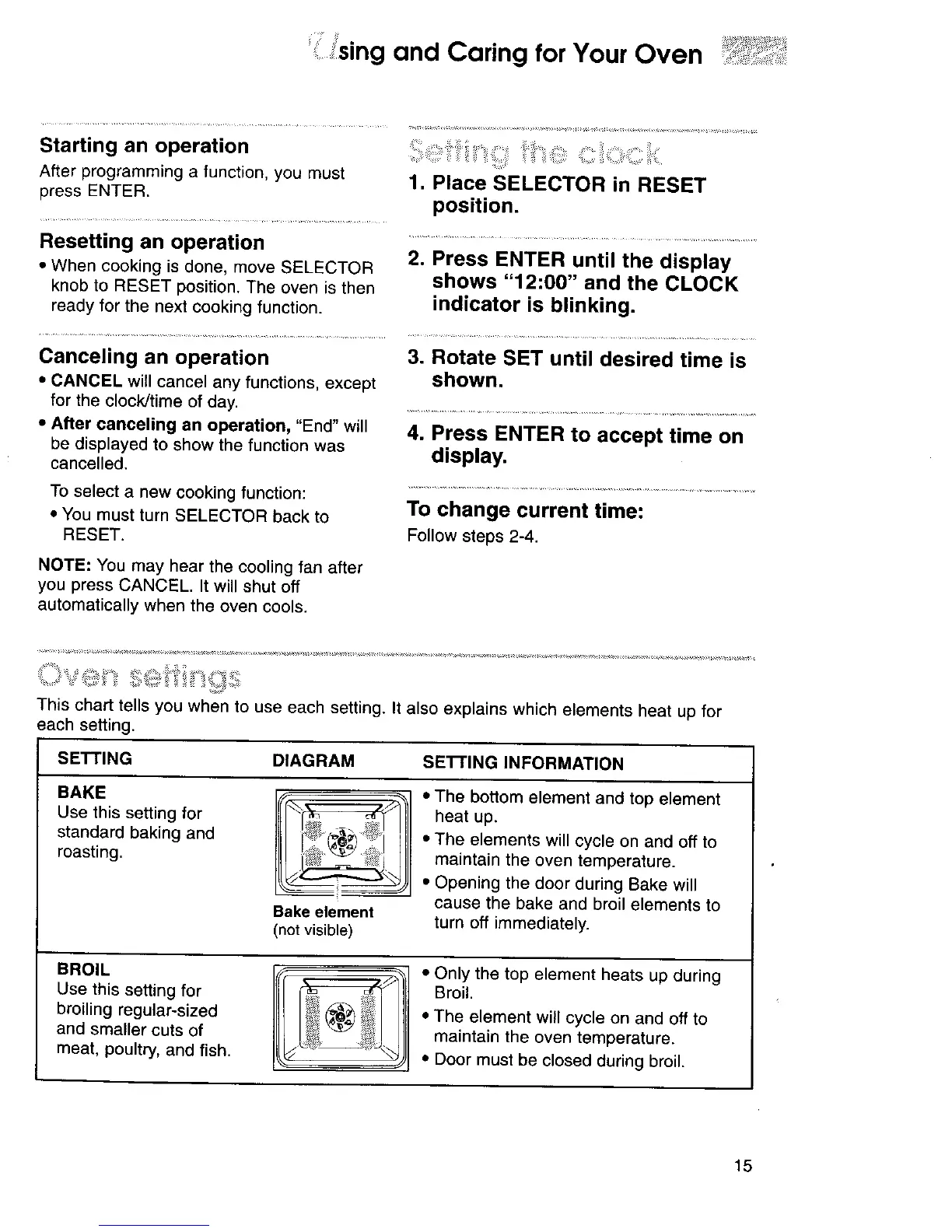
This chart tells you when to use each setting. It also explains which elements heat up for
each setting.
SETTING DIAGRAM SE'n'ING INFORMATION
BAKE
Use this setting for
standard baking and
roasting.
Bake element
(not visible)
• The bottom element and top element
heat up.
• The elements will cycle on and off to
maintain the oven temperature.
• Opening the door during Bake will
cause the bake and broil elements to
turn off immediately.
BROIL
Use this setting for
broiling regular-sized
and smaller cuts of
meat, poultry, and fish.
• Only the top element heats up during
Broil.
• The element will cycle on and off to
maintain the oven temperature.
• Door must be closed during broil.
15




 To Next Page