18
Immerse supplied Test Strip briefly in the water, shake and wait one minute for the test results.
PRODUCT USAGE
SETTING THE WATER HARDNESS
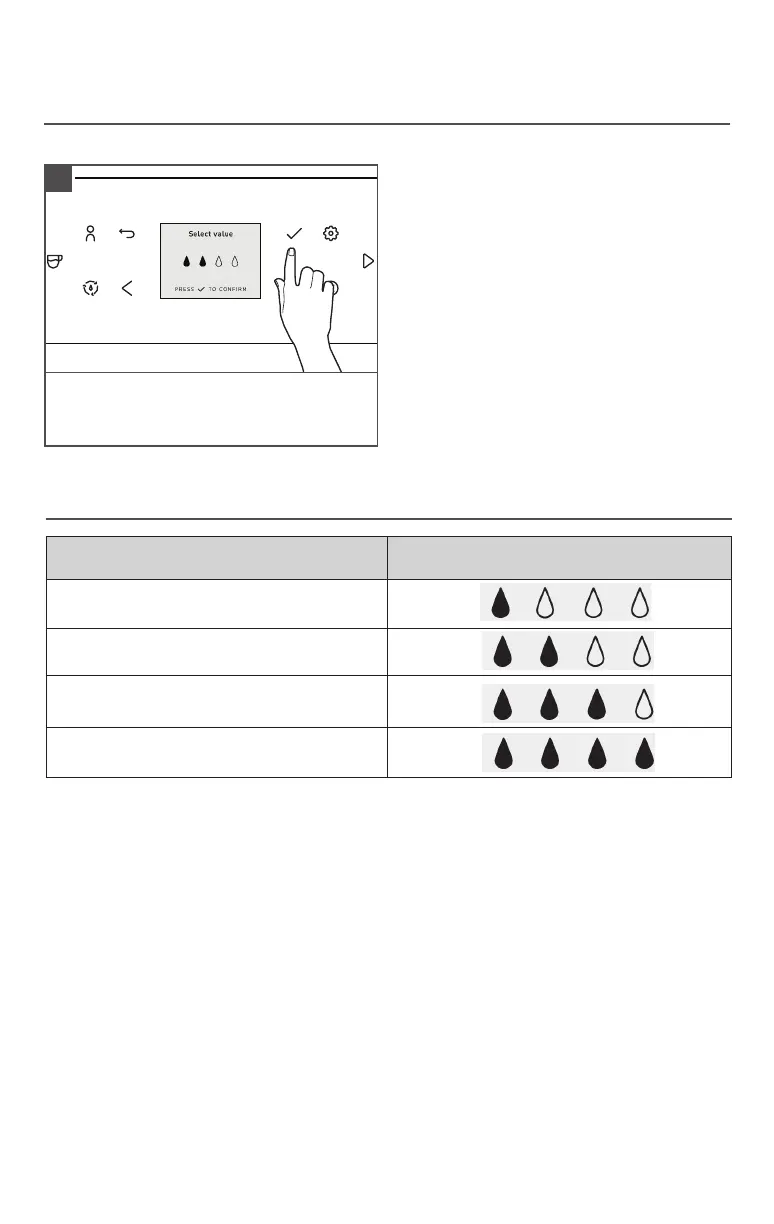
On the Display, select the water hardness
read from the Test Strip and confirm.
1
WATER HARDNESS CHART
NOTE: Water Hardness - Low: 0 to 60 ppm
Medium: 60 to 120 ppm
High: more than 120 ppm
TEST STRIPS DISPLAY
≤ 1 red point Water hardness 1
2 red points Water hardness 2
3 red points
Water hardness 3
(factory setting)
≥ 4 red points Water hardness 4








 To Next Page