ENGLISH
19
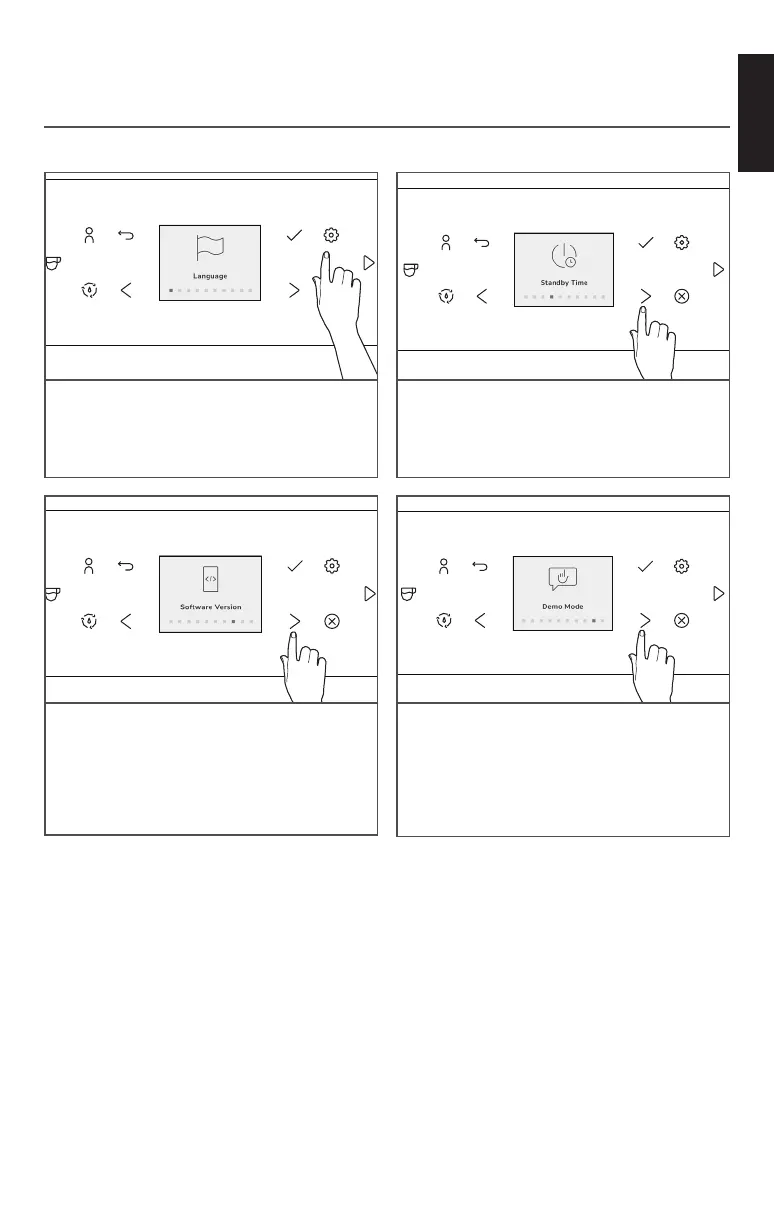
SETTINGS MENU
Language - Change to your required
language.
Sounds - Chose button sound and alerts.
Volume Units - Choose between ml or oz.
Standby Time - Set the standby time from
8 min to 4 hours.
Accent Color - Change the accent color of
the Display.
In the Settings Menu there’s a various selection of items that can be adjusted to your needs.
PRODUCT USAGE
Water Filter - Set, rinse or replace the filter.
Water Hardness - Set the water hardness
level according to your needs.
Software Version - Check for latest
software version and serial number.
Demo Mode - This mode is used to
showcase an initial drink flow, buttons are
deactivated during this mode.
Restore Factory - Restore all settings to
factory defaults.








 To Next Page