- 9 -
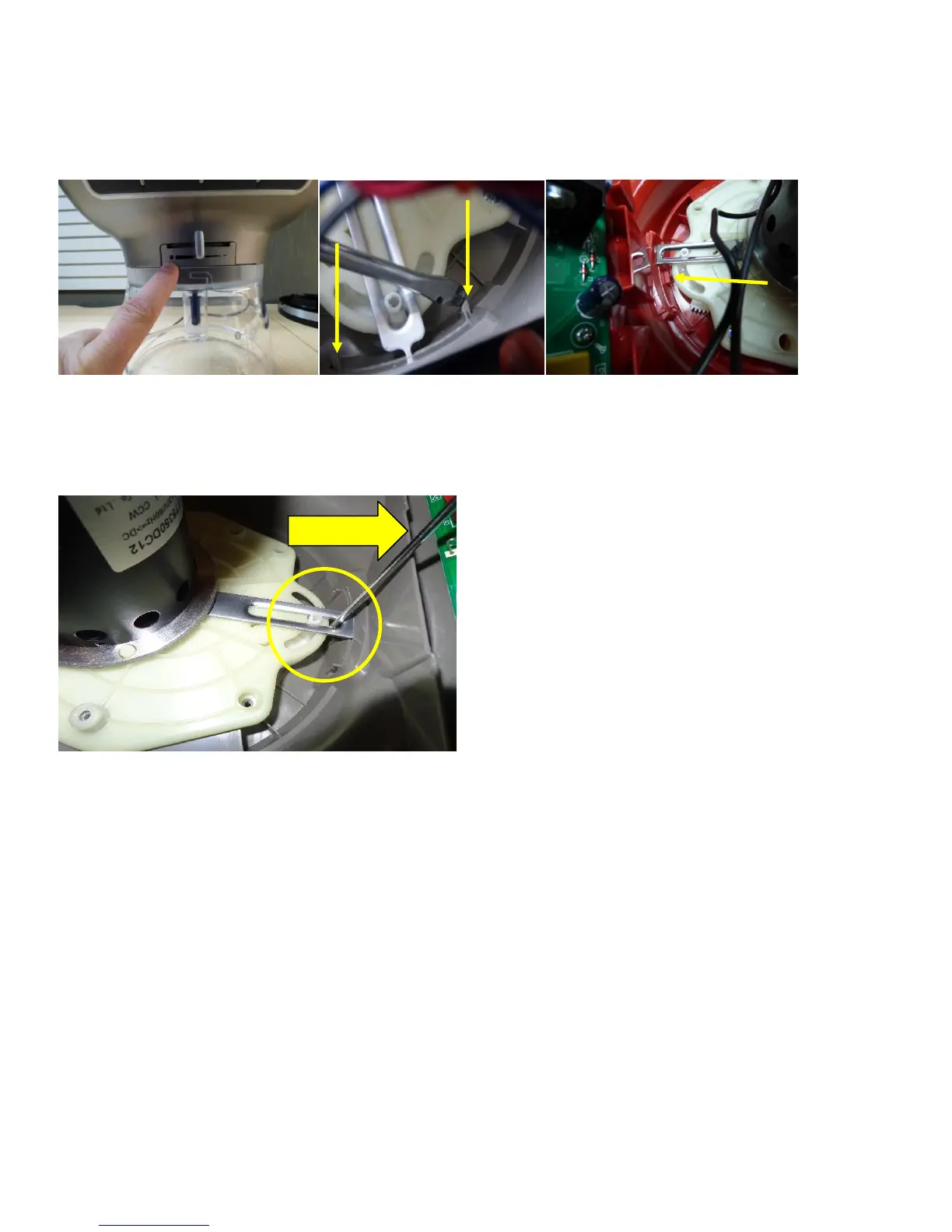
10. Remove the filler panel by the slicing adjustment knob.(Fig. 6) There is a clip on each side(Fig. 7), and a 3
rd
one in the
middle on the bottom use a flat screwdriver and release both clips(Fig. 8)
Fig. 6) Filler Panel Fig. 7) 2 Clips Fig. 8) 3
rd
Clip
11. Remove the slicing disc adjustment knob by using a small flat screw driver and pry outward between the plastic and
the metal from the adjustment knob.(Fig. 9) *Be careful not to break the clips You must remove the work bowl before
removing the knob and filler.
Fig. 9) Remove all at the same time.
12. Remove the 6 screws from the motor to the lower housing.(Fig. 10)



 To Next Page