29
Replacing the Cutting Burrs
If the cutting burrs are damaged, or
have reached the end of their life
(usually after grinding 600–800 lbs.
of coffee), they can be replaced easily.
Contact KitchenAid at 1-800-541-6390
to order a set of replacement burrs.
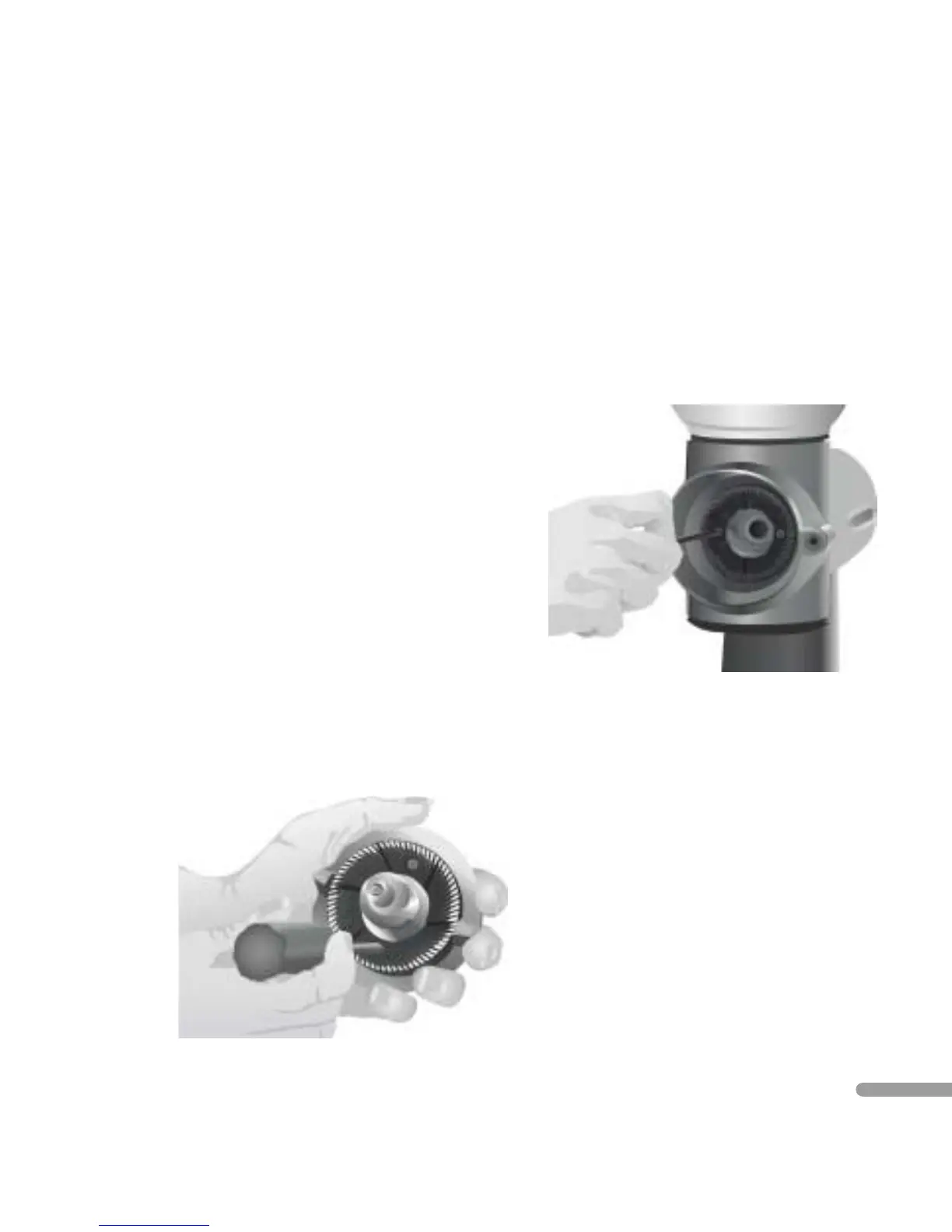
To replace the burrs:
1. Remove the faceplate and burr-shaft
assemblies. For instructions, see
“Cleaning the Cutting Burrs” steps
1, 2, and 3 on pages 25 and 26.
2. With a Phillips screwdriver, remove
the burr from the burr-shaft assembly
by turning the two burr-mounting
screws counter-clockwise until free.
3. Remove the burr from the motor
housing by turning the two burr-
mounting screws counter-clockwise
until free.
4. Attach the replacement burrs to
the burr-shaft assembly and motor
housing using the burr-mounting
screws. Make certain the cutting
surfaces of the burrs face outward,
and the burr-mounting screws
are tight.
5. Insert the burr-shaft assembly into
the motor housing and attach the
faceplate assembly. For instructions,
see “Cleaning the Cutting Burrs”
steps 5 – 10 on pages 27 and 28.
CARE AND CLEANING


 To Next Page