12 13
Using the aux audio input
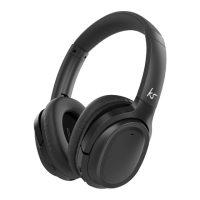
1. With the Arcade turned off, insert the 3.5 mm audio cable into the aux input (4) on the Arcade
2. Plug the other end of the aux cable into the audio/headphone output on an MP3 player or
other audio source
3. Audio played through the connected device will now be heard through the headphones
4. The volume can be adjusted on your device only
Note: The controls on the Arcade do not operate in aux mode. There is no need to turn the Arcade
headphones on in aux mode as they will operate like normal wired headphones.
PLEASE NOTE:
Your device will have an internal amplifier and if it is playing digital files like MP3s it will also have
an integrated DAC (Digital Audio Converter). If you turn up the volume to 100%, your device will be
sending distorted signals to the Arcade. To avoid this and to get the best sound quality from the
speaker, we recommend that you do not run your device any higher than 95% volume
Call-handling
Answer a call When a call comes through, the Arcade will play a ringtone. Press the ON/OFF (2)
button to answer. During the call you can decrease/increase the volume by pushing
(do not hold) the MFB (3) to the right or left respectively.
End call During a call, press the ON/OFF button (2) to end the call.
Redial To redial the last called number, press and hold the ON/OFF button (2) for 2 seconds
(let go when you hear the long beep).



 To Next Page