QA-MRK-FM-07-02 v1
Give the headphones a full charge before their first use.
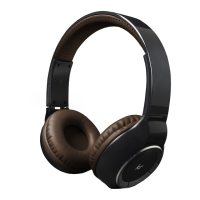
1. Connect the Micro USB Charge Cable to the Micro USB Charging Port (1) and plug into power
2. The Battery LED (2) will be red whilst charging which will take up to 2 hours
3. Once fully charged the Battery LED (2) will turn green
Note: The first charge may take up to 2 hours to complete.
Pairing the headphones to your device
1. Hold the MFB (6) down for 5 seconds. You will see the LED Indicator (9) flash red and blue and
enter pairing mode
2. Turn on your iOS, Android, or Windows device’s Bluetooth ON and search for new devices
3. Select KSENGAGE2 from the list of found devices. If asked for a passcode, enter ‘0000’ or ‘1234’
and the device will pair
4. Once connected, an audio tone will sound and
the LED Indicator (4) will flash white. You can then
answer the phone or listen to your music
Note: The next time you switch the headphones on they will automatically search for and attempt to
connect to the last paired device
Re-pairing or pairing new devices
1. Turn Bluetooth connectivity off on any previously paired devices
2. Follow the ‘Pairing the headphones to your device’ instructions from step 1
Call handling
) to answer. You can adjust the volume by using
Volume+ (5) or Volume– (7)
) to reject the incoming call
) while in the call to end it
Playing music
Bluetooth
Press Volume+ (5) or Volume
controlled on your device
Wired use
[HEADPHONES ONLY]
1. Turn off the headphones
2. Plug the 3.5 mm aux cable into the headphone’s Aux-in Port (8) and the other end into your
device
Note: All functions are controlled via your device.


 To Next Page