8 9
Turning the Fresh on
1. First, make sure the mains adaptor is connected and that the main power switch on the rear of the unit
is in the ‘ON’ position.
2. Press the
button to turn the unit on. The screen will now be illuminated. Wait two seconds
for the unit to boot up.
3. While the unit is turned on, press the
button to scroll through the various audio input modes,
which are: iPod, FM radio and auxiliary audio (AUX).
4. If you press and hold
again, the unit will turn off and the screen will become dim, entering
standby mode.
Setting the clock
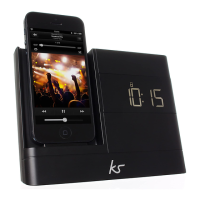
1. Simply press the drawer on the front of the unit to eject it and dock your iPod/iPhone or alternatively:
With the Fresh in standby mode, press and hold the
button to set the time and choose between the
12 or 24 hour formats by pressing the
or
button. Press
to confirm. The hour digit will then
be flashing.
2. Press the
or
button to increase or decrease the hours and press the
button to confirm your
setting. The minute digits will now be flashing. Press the
or
button to decrease or increase the
minutes and press
to save the time.
Note: There may be up to 59 seconds time difference between your iPod/iPhone and the Fresh.
Setting alarm 1
1. Put the Fresh into standby mode.
2. Press and hold the
button. The alarm 1 icon will show up and the hour digit will be flashing.
Press the
or
button to change the hours, followed by
to confirm.
3. Press the
or
button to change the minutes, followed by
to confirm.
4. The alarm 1 icon will then flash. Press the
or
button to select between buzzer, FM or iPod to
wake you up, followed by
to confirm.
Note: If the alarm sound is set to iPod and there is no iPod or iPhone connected, the alarm sound will
automatically switch to buzzer. In order to wake to your iPod or iPhone, it must be connected. If it is
in play mode, no alarm will sound. If your iPod or iPhone has less than one hour of songs, put it in
repeat mode.
5. The alarm is now set.



 To Next Page