6 7
Wired use
1. Ensure that the headphones are switched o during wired use
2. Connect the 3.5 mm cable into the 3.5 mm aux-in (4)
3. Connect the other end of the 3.5 mm cable into your device
Note: Inserting 3.5 mm cable disables wireless functions.
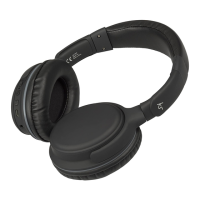
Care for your Metro
Please DON’T:
• Get the Metro wet
• Drop the Metro as this will invalidate your warranty
• Open up the Metro. There are no user serviceable parts inside
• Expose the Metro to extreme temperatures or rapid changes of hot to cold or vice versa
Please DO:
• Clean the Metro with a soft dry cloth and no detergents
Specications
Works with Bluetooth V2.1
Wireless connectivity distance up to 10 m
Frequency response 20 Hz – 20 kHz
Talk time up to 8 hours
Play time up to 8 hours
Charge time up to 2 hours
Standby time up to 150 hours
Battery type LiPo 250 mAh, rechargeable


 To Next Page