6 7
•
Hold the MFB (1) for 4 seconds and the MyJack2 will re-enter pairing mode
Note: If a previously paired device is not present within the wireless connectivity range
then the receiver will re-enter pairing mode.
Connecting two devices to the MyJack2
Two devices can be connected to the MyJack2 at the same time.
1. Please see ‘Pairing to a wireless device’ on how to connect a device, then repeat the
process again with the second device you wish to connect
Playing music on your MyJack2
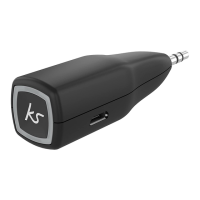
1. Plug the MyJack 2 into the aux-in port of the speaker/stereo
2. Play music on your device and the sound will play through the speaker
Note: Some devices may require you to select the audio output.
Note: Whilst playing music please use your device to adjust the volume.
Play/Pause Short press the MFB (1)
Skip songs Double press the MFB (1)
Note: Only one device can play music at a time. Please pause the music from one device,
then press play from another device. There might be a few seconds delay in swapping
music sources.
Note: Your device will have an internal amplier and if it is playing digital les like MP3s it will
also have an integrated DAC (Digital Audio Converter). If you turn the volume up to 100%,
your device will be sending a distorted signal. To avoid this, and to get the best quality from
the speaker, we recommend that you do not run your device any higher than 95% volume.
Some devices output higher than others, so you may need to reduce the volume if you
experience distortion.
[...continued] Re-pairing or pairing new devices


 To Next Page