8 9
Call handling
You can answer phone calls whilst connected wirelessly to your device.
Answer phone call Short press MFB (1)
Reject phone call Press MFB (1) for one second
End phone call Short press MFB (1)
Re-dial last phone number Double press MFB (1) while music is not playing
Note: If your vehicle’s aux-in port is located within the glove box and the glove box is closed,
you may have problems talking over the phone as the Built-in microphone (4) won’t be able
to pick up your voice.
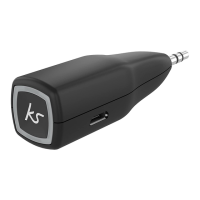
Note: If the MyJack2 doesn’t t into your aux-in port because of tight space you can insert
an aux extension cable into the aux-in port and then connect the MyJack2 into the other
end of the aux extension cable.
Care for your MyJack2
Please DON’T:
• Get the MyJack2 wet
• Drop the MyJack2 as this will invalidate your warranty
• Open up the MyJack2. There are no user serviceable parts inside
• Expose MyJack2 to extreme temperatures or rapid changes of hot to cold or vice versa
Please DO:
• Clean the MyJack2with a soft dry cloth and no detergents


 To Next Page