6
Box contents
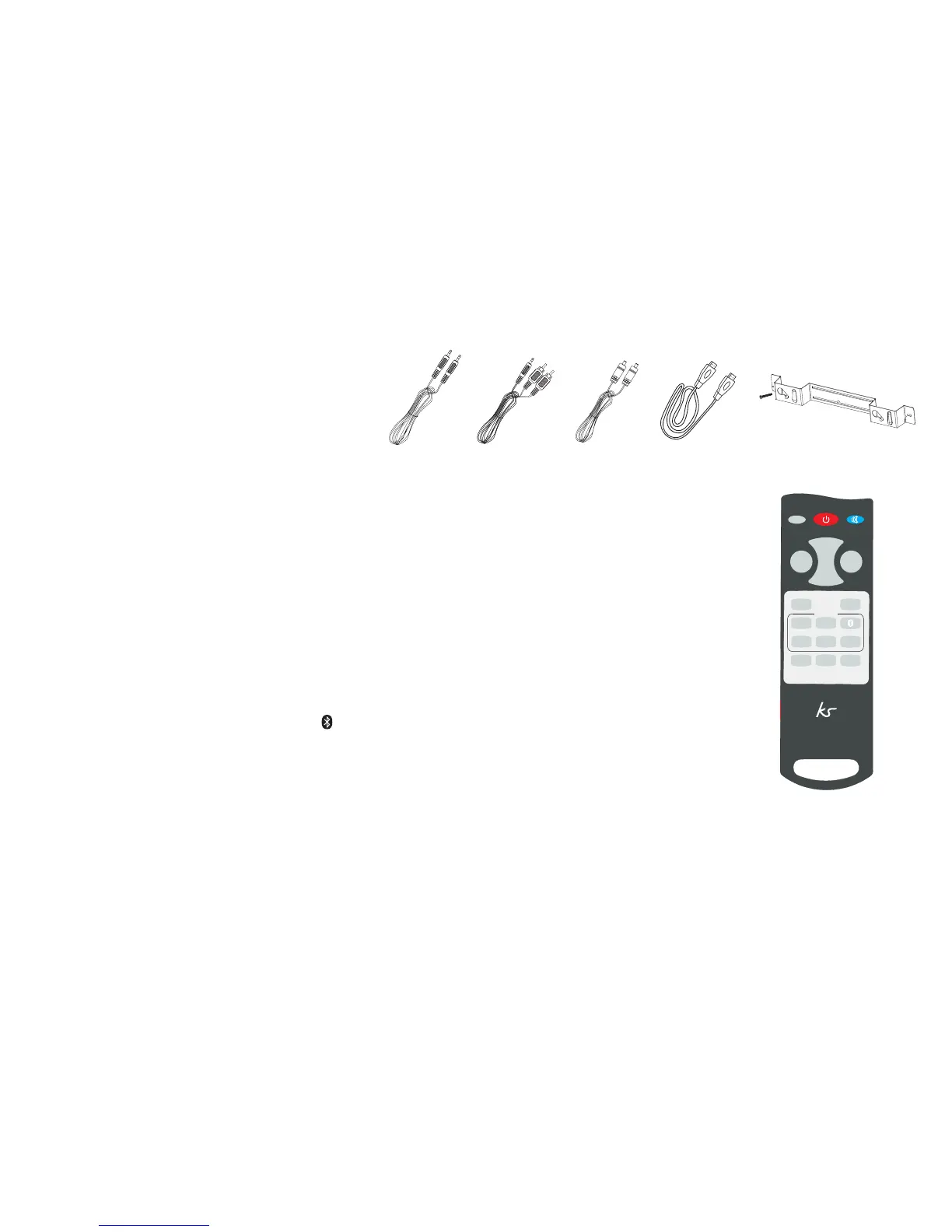
• KS Ovation soundbar
• 3.5 mm audio cable
• 3.5 mm jack to RCA jack audio cable
• Optical audio and HDMI cables
• Wall mounting bracket and hardware
• User manual
• Remote control
Functions
Remote control
The remote is required to operate the Ovation.
1. Power: turn on the unit/turn off to standby mode
2. RESET: reset treble and bass back to the default factory setting
3. Mute: on/off
4. Sound modes: MUSIC/MOVIE/NIGHT
5. VOL+/VOL-: volume up/down
6. BASS+/BASS-: bass up/down
7. TREB+/TREB-: treble up/down
8. SOURCE: HDMI Input 1/HDMI Input 2/ (Bluetooth Input)/AUX Input 1/AUX Input 2/OPTICAL Input
OPTICAL
MOVIE
MUSIC
NIGHT
AUX2
AUX1
HDMI1 HDMI2
TREB
–
TREB
+
RESET
SOURCE
BASS
–
BASS
+
+
VOL
VOL
–


 To Next Page