14 15
Playing music on your speaker
Bluetooth
If already connected to the speaker via Bluetooth, simply find and play the music on your
device and the sound will play through the speaker. Some devices may require you to
select the audio output. You should be able to do this by going to the ‘Listen via’ or
‘Play via’ menu. If unsure, please refer to your device’s manual.
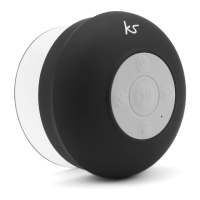
If you are using an AVRCP Bluetooth-enabled device, you will be able to use the
following functions on the speaker:
• Play/Pause (3) short press
• Next Track (7) short press
• Previous Track (4) short press
Changing the volume
This can be done on both the device you are playing music from and on the speaker.
To change the volume on the speaker, press and hold (do not short press otherwise
it will skip track) the Volume + (7) or Volume – (4) button. A tone will be heard when
at maximum volume or minimum volume.
PLEASE NOTE:
Your device will have an internal amplifier and if it is playing digital files like MP3s it will
also have an integrated DAC (Digital Audio Converter). If you turn up the volume to 100%,
your device will be sending distorted signals to the Rinse. To avoid this and to get the best
sound quality from the speaker, we recommend that you do not run your device any
higher than 95% volume.


 To Next Page