16 17
Call-handling
Answer a call
– When a call comes through, the Sonar will play a ringtone. Press the play/
pause button (1) to answer. During the call you can increase/decrease
the volume by pressing the Volume+ (3) or Volume– (2) buttons
End call
– During a call, press the play/pause (1) button to end call
Redial
– Double press the play/pause button (1)
Note: The call handling function will only work when a device is connected
via Bluetooth.
Modes
Press the Mode button (5) to switch between different modes. You will
hear a beep tone after pressing it.
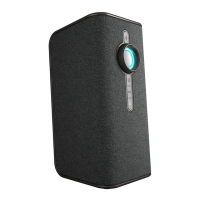
LED functions
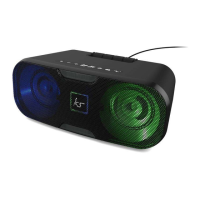
The LED display has 5 different themes and an off function. Press the LED
function button (4) to change between them. The first 2 themes react
to the music being played. The other 3 simply scroll through different
colours in different ways.
Note: For the first 2 themes, the music will need to be above 75% volume
for the LED display to react.
Care for your Sonar
Please DON’T
• Immerse the Sonar in water as it is protected from splashing only*
• Drop the Sonar as this will invalidate your warranty
• Open up the Sonar as there are no user serviceable parts inside
• Expose the Sonar to extreme temperatures or rapid changes of hot
to cold or vice versa
Please DO
• Clean the Sonar with a damp cloth and no detergents
Mode Beeps
Bluetooth 1
Aux 2
PC 3



 To Next Page