54
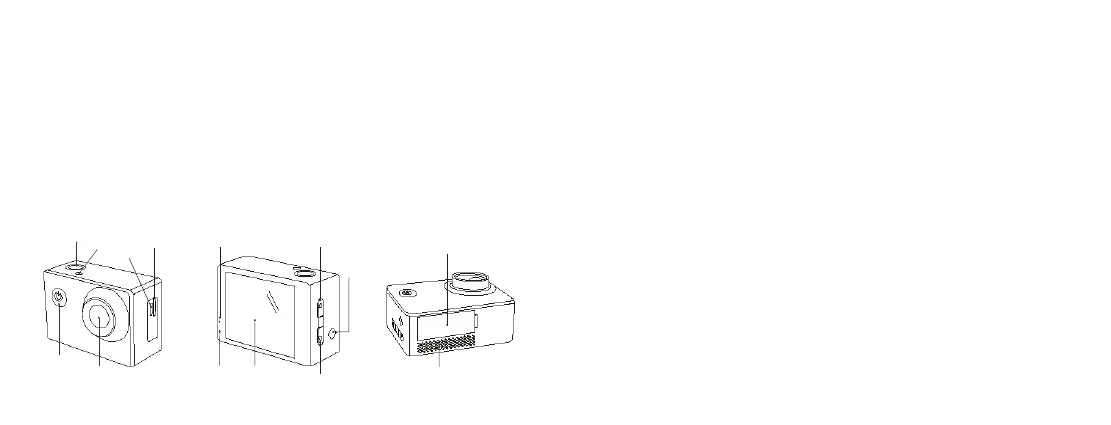
Functions
1. Shutter/Ok
2. LED indicator
3. Power/Mode
4. Lens
5. Built-in microphone
6. Micro SD card slot
7. Micro USB input
8. Power indicator
9. Charging indicator
10. Built-in LCD
11. Up
12. Down
13. Built-in speaker
14. Battery cover
1
3
4
2
7
6
14
109
5
118
12
13
Instructions for use
Turning the power on and o
1. Long press Power/Mode (3) to turn on the camera. When turned on, the camera
will make a ‘chime’ sound eect
2. Long press Power/Mode (3) to turn power o
Charging the battery
The camera has a built-in rechargeable lithium battery. Please fully charge the battery
before use.
1. Turn o the camera
2. Connect the micro USB connector of the USB cable to the camera and the other end
to a PC/mains charger USB port
3. The Charging indicator (9) will be solid red whilst charging
Note: The camera body may be warm after extended use. This is normal.
Removing the battery
1. Ensure the camera is powered o and not charging
2. Lift the Battery cover (14)
3. Pull the battery tab to remove the rechargeable battery



 To Next Page