20
EN
DOWN: Press the key once, LED Display in regular ash showing
current set temperature. Continue pressing to adjust set temperature,
one press reduce 1°C. Regular ash quit after 5 seconds detecting no
press and new set temperature save. LED display return to show actual
temperature inside.
CHILD LOCK: Press both keys at the same time for 3 seconds to lock or
lock automatically in 15 seconds without pressing key. Press both keys
at the same time for 3 seconds to unlock.
FAHRENHEIT/CELSIUS: Switch temperature display between
Fahrenheit and Celsius by pressing both keys at the same time.
Hints on Use
• The cooling temperature could be set from 0-10°C.
• Alarm sound: when the system malfunction occur and alarm sound, press any key
on the control panel to cancel the alarm sound.
• Temperature sensor failure: When the temperature sensor failures occur, error code
displays. E1 for open circuit; E2 for short circuit.
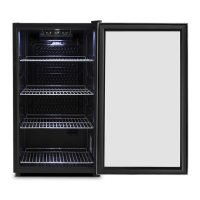
• The appliance is equipped with wire shelves to easily store your beverages in a
cooling environment.
• Loading capacity(10031929): 132 cans. (cans size: 66mm in diameter, 123mm in
height )
• Loading capacity(10031930): 258 cans. (cans size: 66mm in diameter, 123mm in
height )
• If the beverage cooler will have no load for a long time, it is recommended to
power it off, clean it carefully, and open the door for ventilation.
CARE AND CLEANING
Cleaning
NOTE: Turn off the unit, and unplug it from the wall outlet before maintenance or
cleaning to avoid electric shock.
• Clean the appliance with soft cloth or sponge by using water.
• Do not use organic solvents, alkaline detergent, boiling water, washing powder or
acid liquid etc.
• Do not ush the compartment of the appliance.


 To Next Page