28
EN
OPERATION AND FUNCTIONS
Getting Started
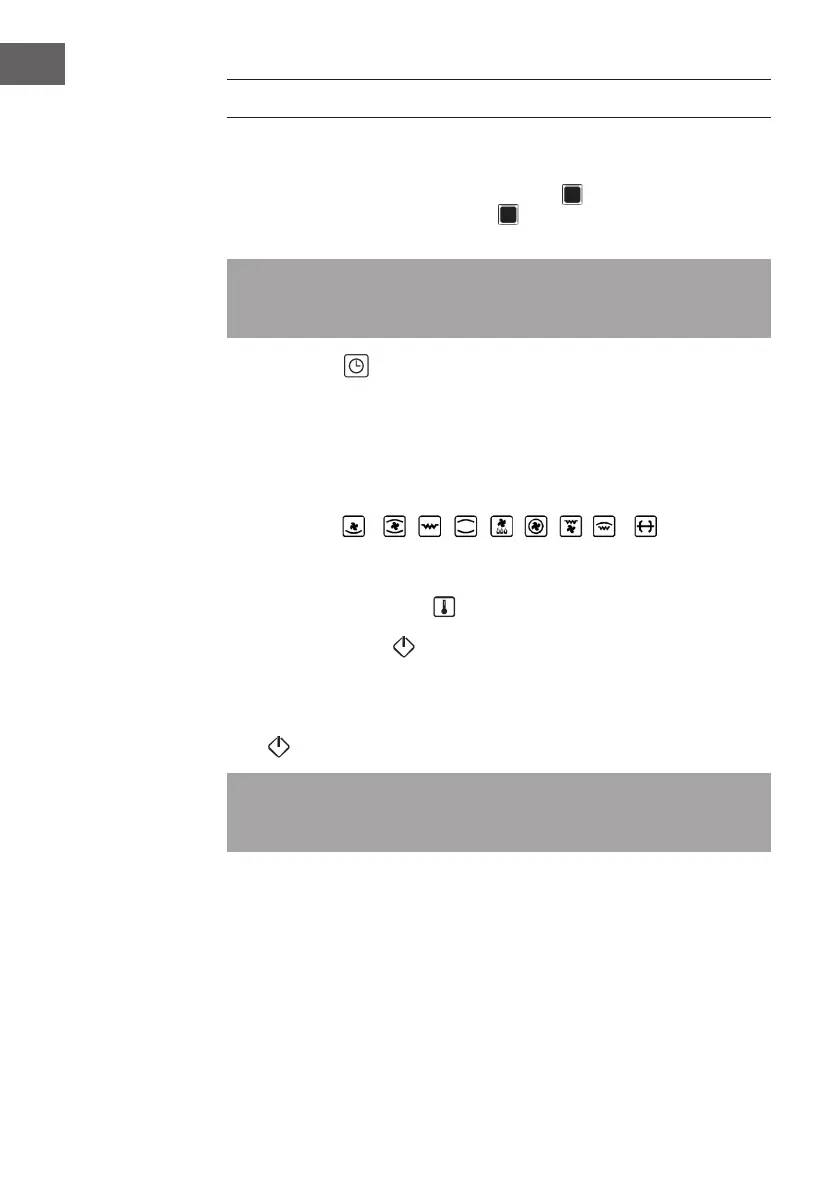
As soon as your new device is connected, the symbol lights up in the display and
is displayed pulsating. Press the ON button and the furnace is ready for operation.
[00:00] appears on the display and the backlighting of all keys and bars turns on.
Note: If no key is pressed and no function is set within 5 minutes, the stove switches
to standby mode and the backlight goes out. Press the On button again to reactivate
the lighting.
Setting the Clock
1 Press the clock button and the hours will ash.
2 Use the [+] or [-] button to set the hours.
3 Press the clock button and the minutes will ash.
4 Use the [+] or [-] button to set the minutes.
5 Press the clock button again to save the time.
Function Setting
1 Press the desired function key and the backlight of the other keys is switched off.
2 The cooking time starts to ash. Press the [+] or [-] button to set the cooking time.
3 Press the temperature button and the temperature starts ashing. Press the [+] or
[-] button to set the temperature.
4 Press the Start button to start the cooking process.
Quick Start
If you skip the second and third steps, select the function and then press the Start
button directly, the temperature is preset and the preset time is 9:00 minutes.
Note: Once the oven starts the cooking process, the function, time and temperature
can no longer be changed. If you want to change the cooking function, time or
temperature, cancel the cooking process and start the setting from the beginning.



 To Next Page