EasyManua.ls Logo

Klarstein 10033435 - User Manual

Klarstein 10033435
64 pages
Go to English
Print Icon
To Next Page IconTo Next Page
Loading...
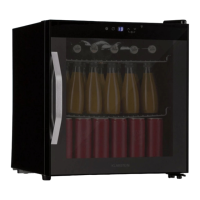
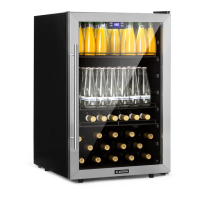
10033435 10033436
Getränkekühler
Beverage Cooler
Refrigerador de bebidas
Réfrigérateur à boissons
Frigorifero per bevande

Questions and Answers

  • M
    Miranda CrawfordAug 4, 2025
    What to do if my Klarstein 10033435 Accessories appliance does not work?
    • K
      Katie McclainAug 4, 2025
      If your Klarstein Accessories appliance isn't working, first ensure the mains plug is properly inserted. If it is, check the fuse and replace it if necessary.
  • M
    Melinda DixonAug 11, 2025
    Why is the food too warm in my Klarstein 10033435 Accessories?
    • W
      Wendy MunozAug 11, 2025
      If the food in your Klarstein Accessories appliance is too warm, there might be several reasons. First, ensure that the temperature is properly adjusted according to the initial Temperature Setting section. Also, avoid keeping the door open for too long and if you've recently placed a large amount of warm food inside, temporarily set the temperature colder. Finally, make sure the appliance isn't near any heat sources; refer to the installation location section for guidance.
  • G
    Gregory JenningsAug 19, 2025
    How to stop unusual noises from Klarstein Accessories?
    • N
      Nicholas PopeAug 19, 2025
      Unusual noises from your Klarstein Accessories appliance can be caused by a few things. Start by re-adjusting the feet to ensure the appliance is level. Check if the appliance is touching the wall or other objects and move it slightly if needed. Also, inspect the rear of the appliance for any components, like pipes, that might be touching other parts or the wall, and carefully bend them out of the way if necessary.
  • J
    Jessica MillerAug 26, 2025
    What to do if Klarstein 10033435 Accessories cools too much?
    • L
      lisafitzgeraldAug 27, 2025
      If your Klarstein Accessories appliance is cooling too much, the temperature might be set too cold. Try turning the temperature regulation knob to a warmer setting temporarily.

Summary

Safety Instructions

Product Overview

Start-up and Operation

Before First Use

Prepares the appliance for initial use, covering unpacking, placement, and initial setup before powering on.

Operation

Details how to turn the appliance on/off, adjust temperature settings, and use the internal light.

Door Reverse

Handle Installation

Care and Maintenance

Defrosting

Explains how frost accumulates inside the unit and how the automatic defrost cycle functions.

Cleaning the Unit

Provides instructions for cleaning the interior, shelves, and exterior of the appliance, including tips for condensation.

Maintenance

Covers important maintenance tasks such as lamp replacement and proper handling when moving the appliance.

Troubleshooting

Hints on Disposal

Klarstein 10033435 Specifications

General IconGeneral
BrandKlarstein
Model10033435
CategoryAccessories
LanguageEnglish

Related product manuals