58
EN
Menu structure and submenus
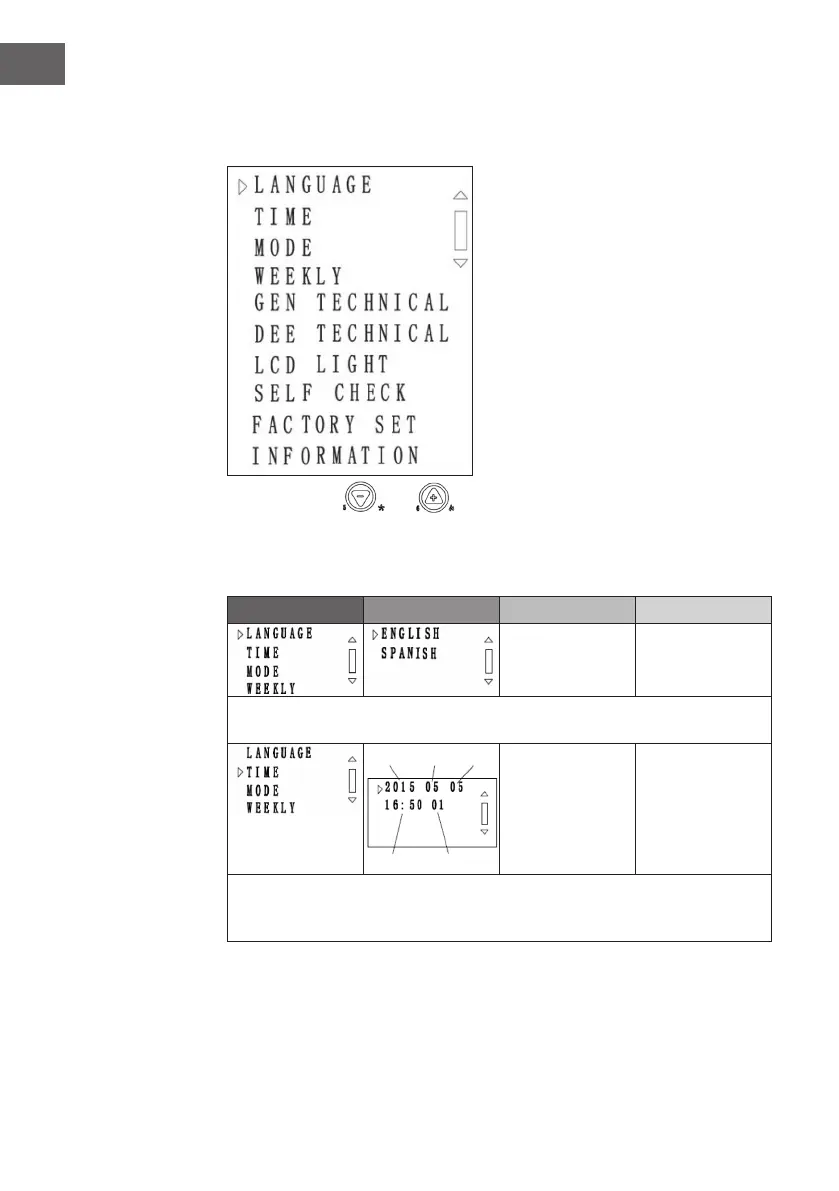
Press the SET button once to display the following screen:
Use the buttons and to select one of the following menu items:
LANGUAGE, TIME, MODE, WEEKLY, GEN TECHNICAL, DEE TECHNICAL,
LCD LIGHT, SELF CHECK, FACTORY SET, INFORMATION. Press the SET
button to display the menu item.
Menu item Level 2 Level 3 Level 4
Press the SET button to move to level 2. Press the [-] button to move to the next menu
item. Two options are available: Spanish and English.
Press the SET button to move to level 2. Press the [-] button to move to the next menu
item. The time is displayed in the following order: year, month, date, hour, minute,
weekday.
Year Month Day
Time Monday


 To Next Page