30
EN
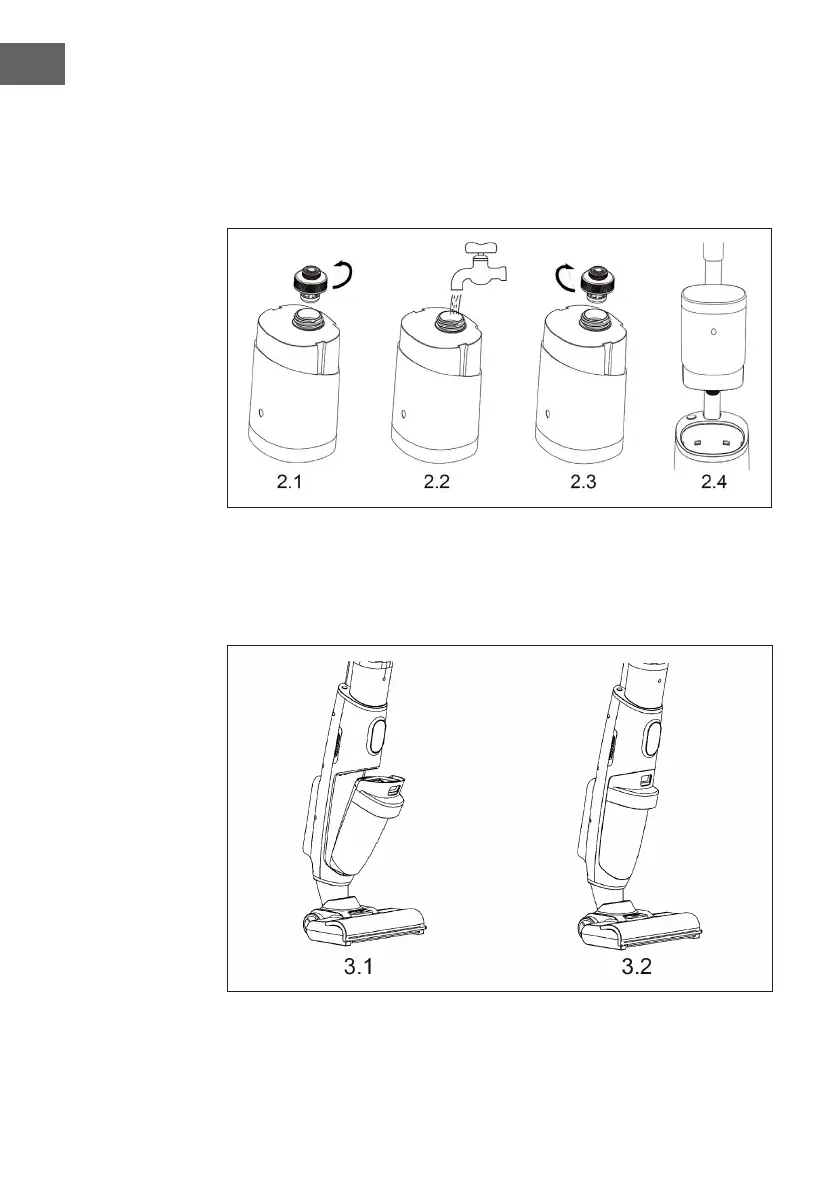
2. Installation of the clean water tank
Unscrew the water tank cover (see gure 2.1). Fill the water tank with clean water.
Screw the water tank cover clockwise (see gure 2.3) and put the water tank back
into the device (see gure 2.4). As soon as you hear a clicking sound, the water
tank is correctly inserted.
3. Installation of the dirty water tank
The underside of the dirty water tank is located at the opening of the housing (see
gure 3.1). If you press it inwards and you hear a clicking sound, the dirty water
tank has been installed correctly.



 To Next Page