33
EN
CONTROL PANEL AND BUTTONS
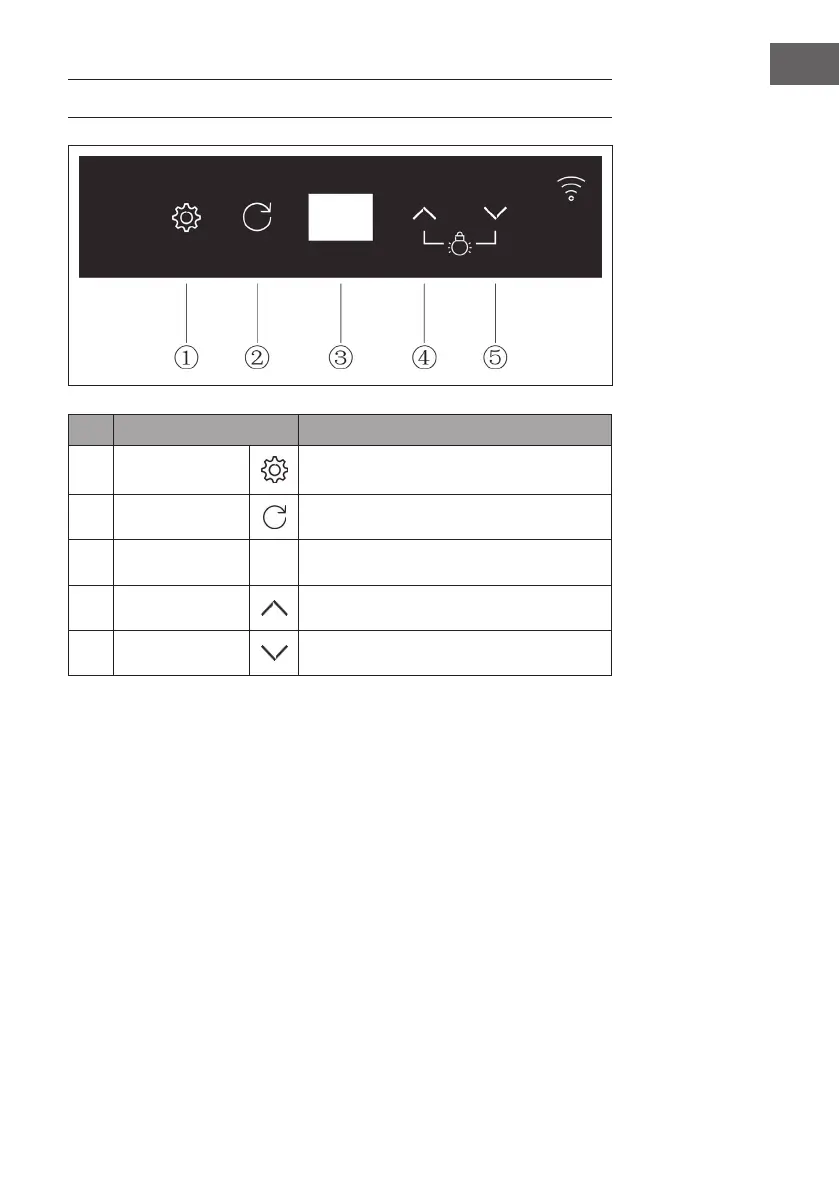
No. Key Function
1 SETTINGS
Press and hold the button for 2 seconds to
quickly increase the set temperature.
2 RETURN
Exit the current setting.
3 Display Numerical display
4 UP
Set the temperature / turn on light
5 DOWN
Set the temperature / turn off light


 To Next Page