34
EN
OPERATION
Note: The recommended operating temperature is 17 °C.
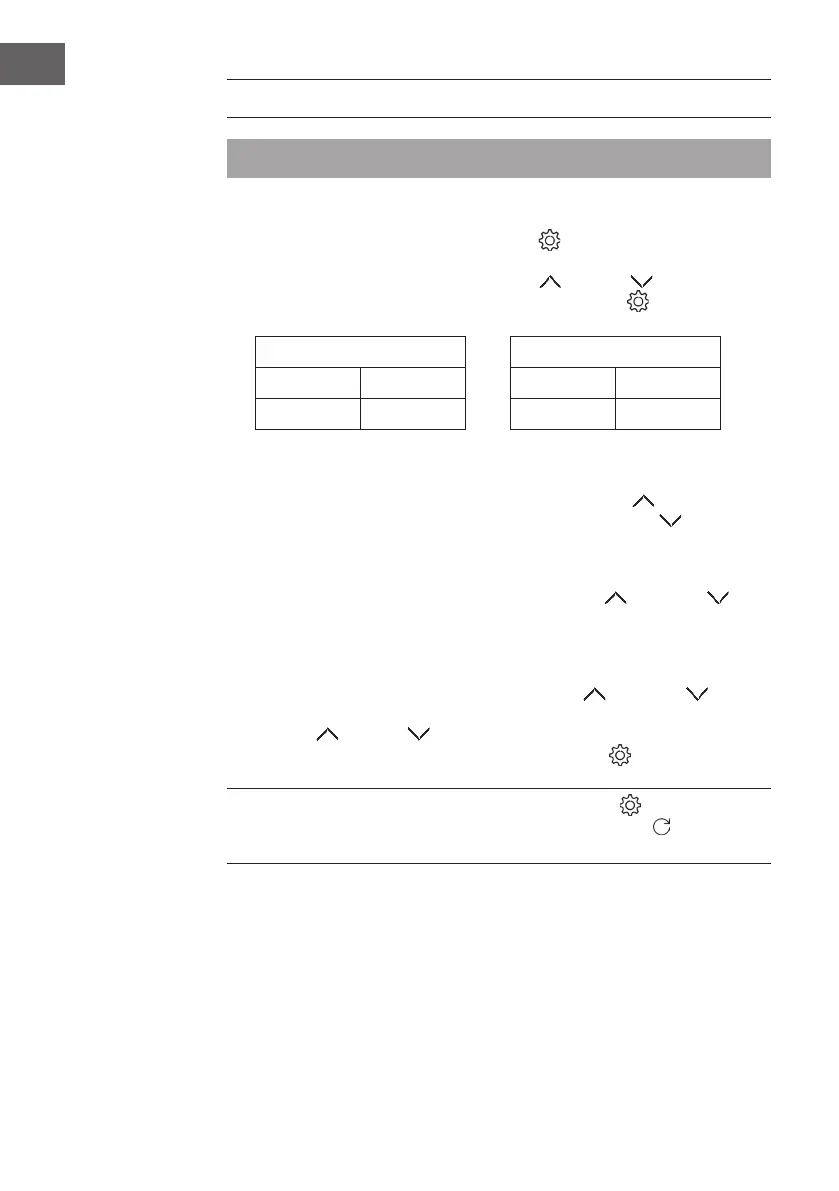
Setting the temperature
1. If you press and hold the SETTINGS button
for 3 seconds, the numeric
display on the screen ashes and the temperature setting will be called up.
2. Adjust the temperature by pressing the UP
or DOWN buttons.
3. To complete the setting, press the Settings button again
.
Temperature setting range Temperature display range
Min. 3 °C Min. -9 °C
Max. 18 °C Max. 40 °C
Switching the LED interior lighting on and off
• To switch on the LED lighting, briey press the UP button
.
• To switch off the LED lighting, briey press the DOWN button
.
Switching the backlight on and off
• To switch the backlight on or off, briey press the UP
and DOWN
buttons simultaneously.
Adjusting the backlight
1. To enter the backlight setting mode, press the UP
and DOWN buttons
simultaneously for at least 3 seconds.
2. Press UP
or DOWN to select the desired setting.
3. To conrm your selection, press the SETTINGS button
.
NOTE: After you have made the setting, the Settings button
must be pressed to
save and exit the settings mode. If you press the RETURN button
, your changes
will not be saved and the backlight setting mode will be exited.


 To Next Page