21
EN
A
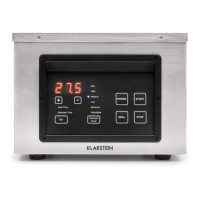
Power Button (Power)
When the machine is connected to the power, the LED display (G) will show
OFF. Press the Power button and the LED display (G) will show the preset
sealing time (or marinating time) and then the preset vacuum degree. The
machine is now ready to work. Press the Power button and the machine will
return to standby mode. The LED display (G) will show OFF.
B
Start Button (Start)
When the machine is ready to work, press the Start button and the machine
will enter vacuum-sealing mode or vacuum-marinating mode (according to
the setting mode).
C
Start Button (Start)
When the machine is ready to work, press the Start button and the machine
will enter vacuum-sealing mode or vacuum-marinating mode (according to
the setting mode).
D
Stop Button (Stop)
Press the Stop button and the machine will stop any process which is
underway.
E
Set Button (Set)
Press the Set button and choose vacuum-sealing mode or vacuum-marinating
mode (indicator light will be on accordingly). Press the “ + ” and “ - ” buttons
to adjust the sealing time or marinating time (the time will show on the LED
display).
F
Vacuum Level Button (Vacuum Level)
Press the Vacuum Level button and choose the vacuum degree needed
(indicator light will be on accordingly, with a unit of inHg). When choosing
ADJUSTABLE, press the “ + ” or “ - ” button to set any vacuum degree
needed (the vacuum degree will show on the LED).
G
LED Display
• Shows the vacuum degree in real time.
• Shows the seal time or marinating time
H
Adjust button (+/-)
• Adjust seal time
• Adjust marinating time
• Adjust vacuum degree
I Indicator lights
I1
Indicate working process
I2
Indicate vacuum degree



 To Next Page