22
EN
1
3 4
2
5
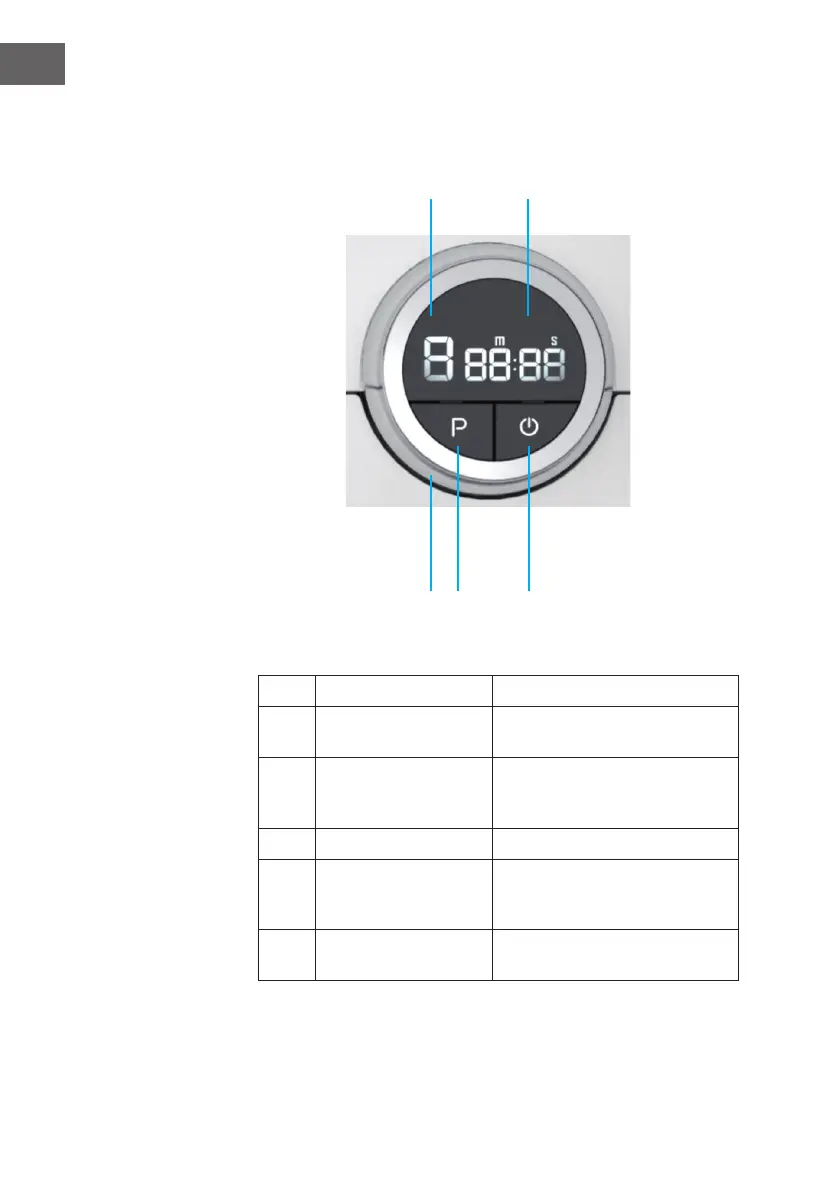
Operation panel
No. Defi nition Functional description
1 speed display Displays the working speed of the
current machine.
2 time display Displays the current machine
working hours or remaining
working hours.
3 Knob Adjust the time and speed.
4 P Press the button to start working,
release the button to stop
working.
5 Start / End Short press to start, short press
end.


 To Next Page