To Next Page
E
Edward JohnsonAug 3, 2025
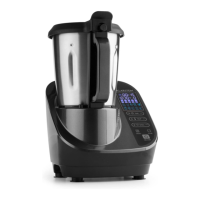
What to do if the Klarstein 10032089 Food Processor LCD is flashing?
- JJustin HamiltonAug 4, 2025
If the LCD is flashing, press and hold the Start/Stop button for more than 3 seconds to recover it.

What to do if the Klarstein 10032089 Food Processor LCD is flashing?
If the LCD is flashing, press and hold the Start/Stop button for more than 3 seconds to recover it.
What to do if Klarstein 10032089 Food Processor displays “E04” on LCD?
If the appliance temperature is too hot and “E04” is displayed, first let it cool down for 30 minutes to 2 hours, and then reboot it. If this doesn’t work, it must be sent to the approved service center for repair.
What to do if Klarstein 10032089 displays “E02” on LCD?
If “E02” is flashing on the LCD because the bowl wasn’t installed, install the bowl according to the operating instructions.
Read instructions, check voltage, use approved parts, clean before use, ensure stable surface.
Warning about sharp blades and risk of injury during operation, handle with care.
Instructions for installing the airproof ring, blade, and securing it with the spanner.
Explanation of speed/temperature display and related buttons.
How to start, stop, and reset the appliance using the Start/Stop button.
How to select and adjust the working speed.
Important warnings and tips for safe steaming operations.
 General
| Citrus press | - |
|---|---|
| Control type | Rotary |
| Bowl capacity | 2.5 L |
| Product color | Stainless steel |
| Pulse function | Yes |
| Number of speeds | 12 |
| Doesn't contain | Bisphenol A (BPA) |
| Timer duration | 90 min |
| AC input voltage | 220 - 240 V |
| AC input frequency | 50/60 Hz |
 Weight and Dimensions
| Depth | 340 mm |
|---|---|
| Width | 220 mm |
| Height | 380 mm |
| Weight | 6100 g |