GETTING STARTED
Sand-by state
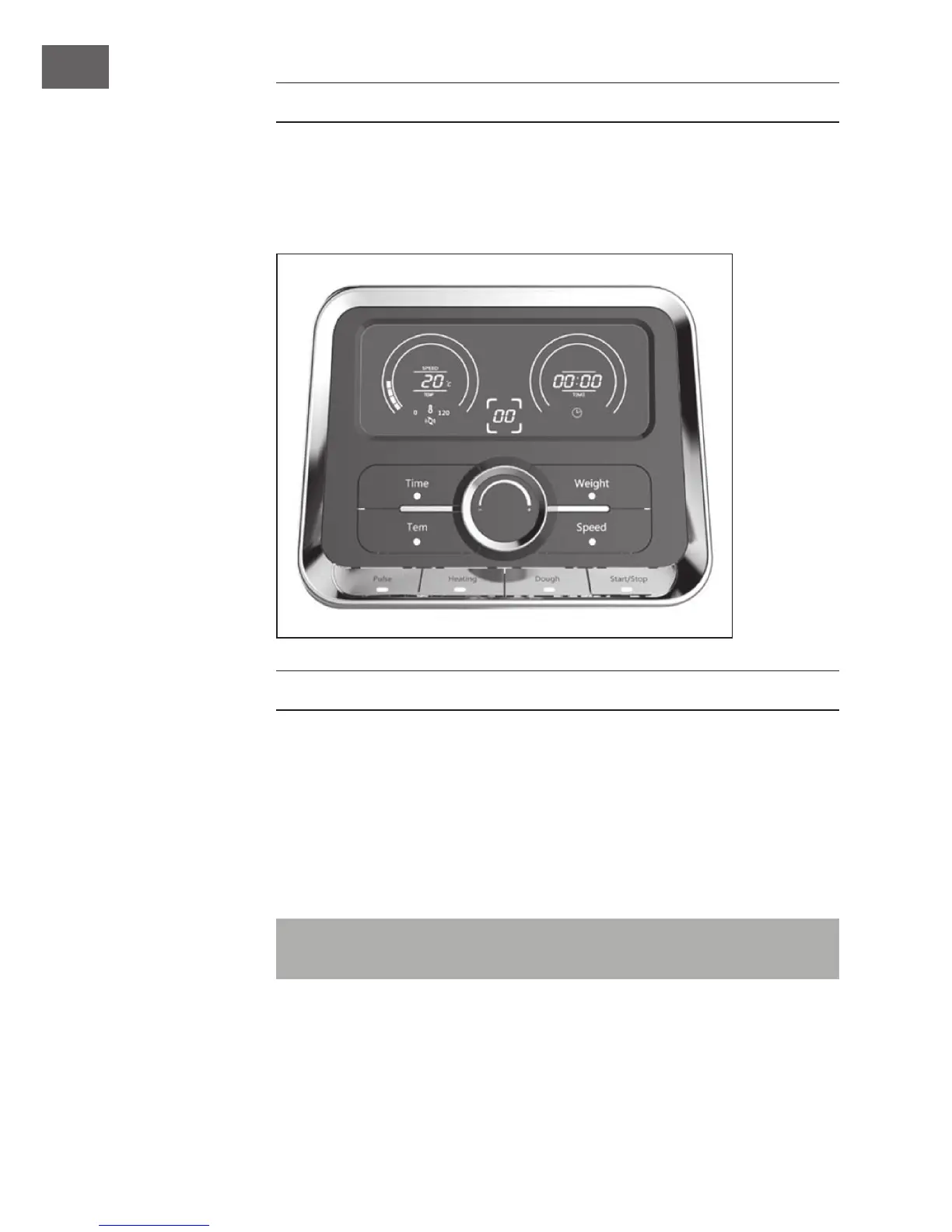
Plug in and power on, the appliance goes into stand-by state. The number of “speed/
temperature” display on LCD is the current temperature of the bowl.
BUTTON FUNCTIONS
Speed/Temperature display
Denotes the speed (range: 01-12), or denotes the temperature (range: 30-120°C).
Time button
Usage: Firstly press “Time” button, “Time” button lights. Secondly rotate the knob (8) to
set the time (1second-90minutes) you want.
Tips: If you don’t set the working time, the working appliance will automatically stop
after 90 minutes!



 To Next Page