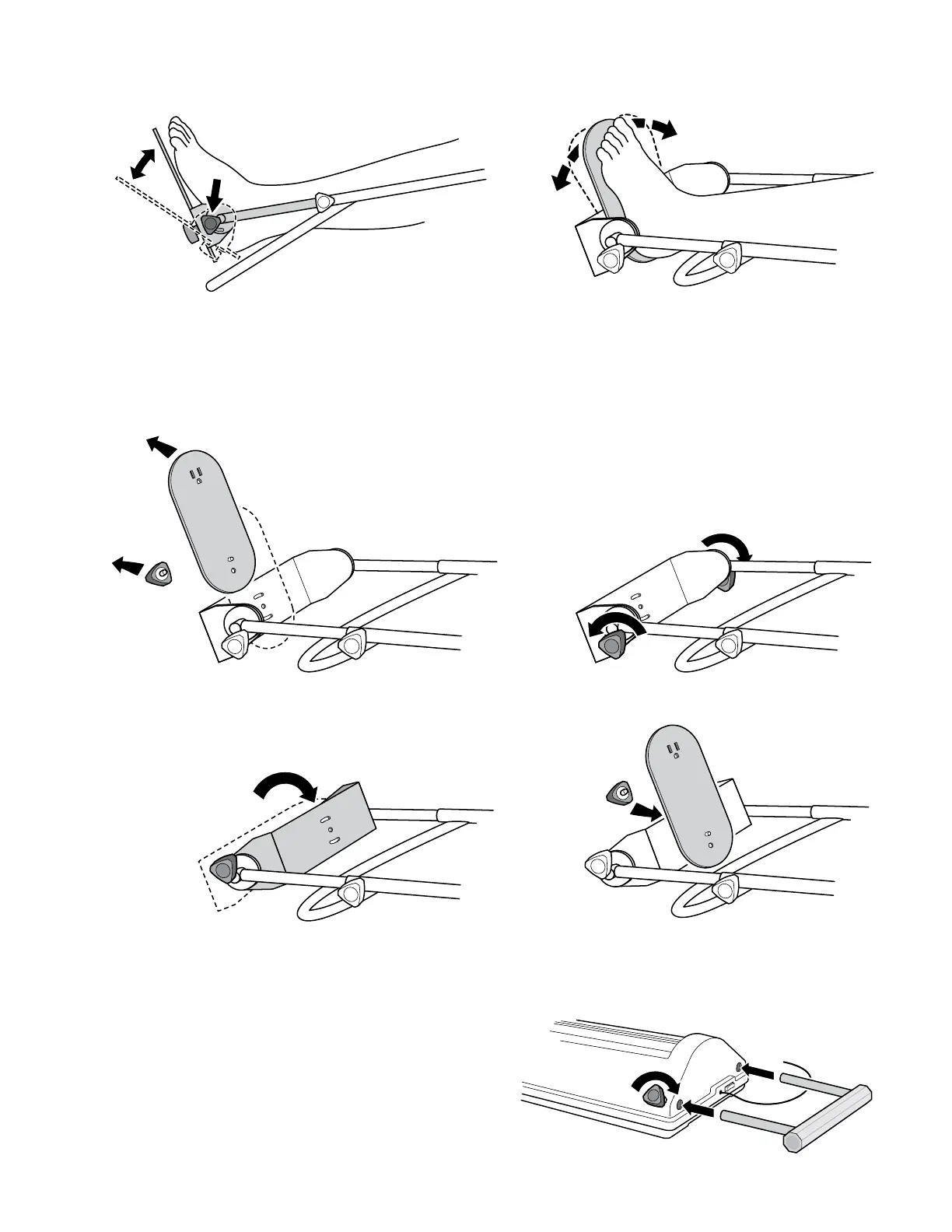
Foot Plate Adjustment
for Plantar/Dorsiflexion and External/Internal rotation
1. Plantar/Dorsiexion
Loosen the adjustment knobs on each side of the foot plate.
Adjust the foot plate to the desired degree of plantar or
dorsiexion. Retighten the knobs.
Foot Plate Adjustment for Pediatric Tibia Leg Length
2. External/InternalRotation
Loosen the adjustment knobs on the foot plate. Adjust
the foot plate to the prescribed degree of external/internal
rotation. Retighten the knobs.
1. Remove the adjustment knob on the bottom of the
foot plate. Remove the foot plate.
2. Loosen the adjustment knobs on each side
of the foot plate.
3. Rotate the foot plate bracket inward 180° as shown.
4. Reattach the foot plate to the foot plate bracket.
Adjust for plantar/dorsiexion and internal/
external rotation as needed.
Hospital Bed Fixture
The FLEX-MATE
®
K500 Hospital Bed Fixture may be
purchased optionally to attach the K500 to a hospital bed.
Assemble the Hospital Bed Fixture to the K500 by sliding the
xture into the tubes at the end of K500 as shown. Screw in
and tighten the knobs included with the xture. Position the
K500 on the bed in the appropriate position and attach to a
bed mounted traction bar using standard traction ttings.
The K500 is not to be carried by the Hospital Bed Fixture.
P/N 1.07080 Revision G 6 of 8



 To Next Page