Need help?
Do you have a question about the Klein Tools TI220 and is the answer not in the manual?
Details on operating environment, altitude, humidity, and temperature ranges.
Information on sensor resolution, spectral response, FOV, frame rate, sensitivity, and temperature accuracy.
Specs related to mobile device compatibility, app support, and connection types.
Covers physical size, weight, and drop protection rating.
Essential safety guidelines including warnings for operation and handling.
Explanation of warning symbols and identification of the thermal imager's parts.
Identification and explanation of icons and readings in the live viewing mode.
Explanation of the interface elements for capturing time-lapse video.
Details on controls and indicators during video recording.
Navigation and options for viewing, managing, and sharing captured files.
Overview of the settings menu and how to access camera configuration options.
Instructions for obtaining the app and physically connecting the imager to an Android device.
Guidance on taking still photos, time-lapse videos, and standard videos.
Steps for accessing, viewing, sharing, or deleting images and videos.
Configuration options for temperature display, alarms, color palettes, and emissivity.
Helpful tips, answers to common queries, and a chart for estimating material emissivity.
Instructions for proper cleaning methods and storage conditions to maintain the device.
Information on FCC/IC compliance, warranty, and environmentally responsible disposal.
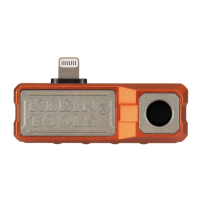
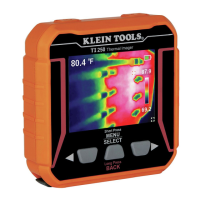
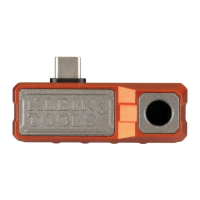
The Klein Tools TI220 Thermal Imager is a specialized device designed to transform your Android® smartphone into a powerful thermal imaging tool. It allows users to easily capture, store, and share thermal images and videos, including time-lapse sequences, for instant troubleshooting of hot and cold spots. This device is particularly useful for professionals who need to identify temperature anomalies in various environments.
The TI220 functions by connecting directly to an Android® device, leveraging the smartphone's display and processing power to visualize thermal data. It features a high-resolution thermal sensor capable of detecting temperature differences across a wide range, making it ideal for identifying issues like electrical overloads, HVAC problems, insulation gaps, and plumbing leaks. The imager provides a visual representation of heat, allowing users to "see" temperature variations that are invisible to the naked eye.
Key functionalities include:
The TI220 is designed for ease of use, integrating seamlessly with your Android® device through a dedicated mobile application.
Maintaining the TI220 is straightforward, focusing on proper handling and storage to ensure its longevity and continued performance.
The Klein Tools TI220 Thermal Imager is a versatile and user-friendly tool that extends the diagnostic capabilities of an Android® smartphone, making thermal imaging accessible for a wide range of professional applications.
 General
| Total megapixels | - MP |
|---|---|
| Viewfinder resolution | 10800 pixels |
| Infrared spectral band | 8 - 14 µm |
| Thermal sensitivity (NETD) | 60 mK |
| Sensor type (thermal module) | - |
| Temperature measurement range | -20 - 400 °C |
| Product color | Red |
| Built-in display | No |
| Display diagonal | - \ |
| Housing material | Aluminum |
| Display resolution | - pixels |
| Charging source | USB |
| Battery capacity | - mAh |
| USB port | Yes |
| USB connector type | USB Type-C |
 Weight and Dimensions
| Depth | 19 mm |
|---|---|
| Width | 54 mm |
| Height | 27 mm |
| Weight | 31 g |

 To Next Page