7
OPERATING INSTRUCTIONS
DOWNLOADING THE APP
The Klein Tools Thermal Imager app is required for functionality. The
app is available for free from the Google Play
TM
store, or by scanning
the QR code below.
CONNECTING YOUR DEVICE
1. Turn on your Android
®
device.
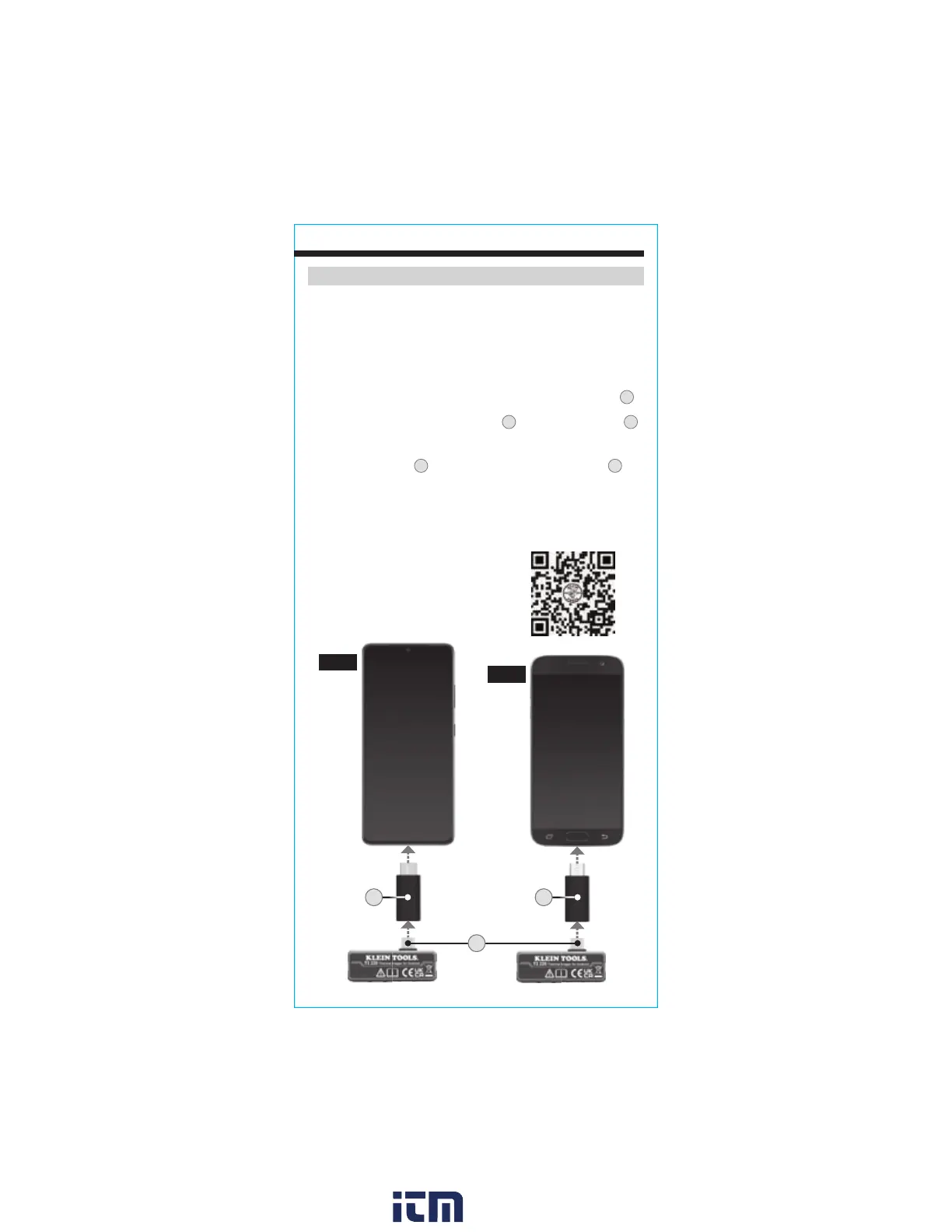
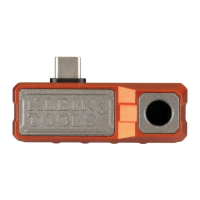
2. Connect the Thermal Imager to your device:
• If your device uses a USB-C connector, insert the USB-C connector
2
directly into your device (FIG. G). If a phone case interferes with the
connection, attach the USB-C Extension
4
to the USB-C connector
2
,
making sure it is fully seated, then insert into your device.
• If your device uses a micro-USB connector, make sure the USB-C to
micro-USB Adapter
3
is fully seated over the USB-C connector
2
,
then insert into your device (FIG. H).
3. Connecting your device will automatically open the app, and a popup will
ask for confirmation: "Open Klein Thermal to handle Klein Tools TI220?"
Tap "OK" or "CANCEL". Optionally, check the box to select "Always open
Klein Thermal when Klein Tools TI220 is connected."
FIG. G
FIG. H
Scan QR code for free download
of the Klein Tools TI220 app
3
2
4
w ww . . co m
information@itm.com1.800.561.8187


 To Next Page